User guide / PCB /
Checks and export
Checks
The server checks the board after every change: clearance between nets, shorts, copper outside the board or inside a keepout, track widths, unconnected pads, zone islands and overlapping parts. Checks lists the findings, and below them the violations of the last KiCad DRC; clicking one centres the board on it. Red circles mark errors on the canvas, orange ones warnings.
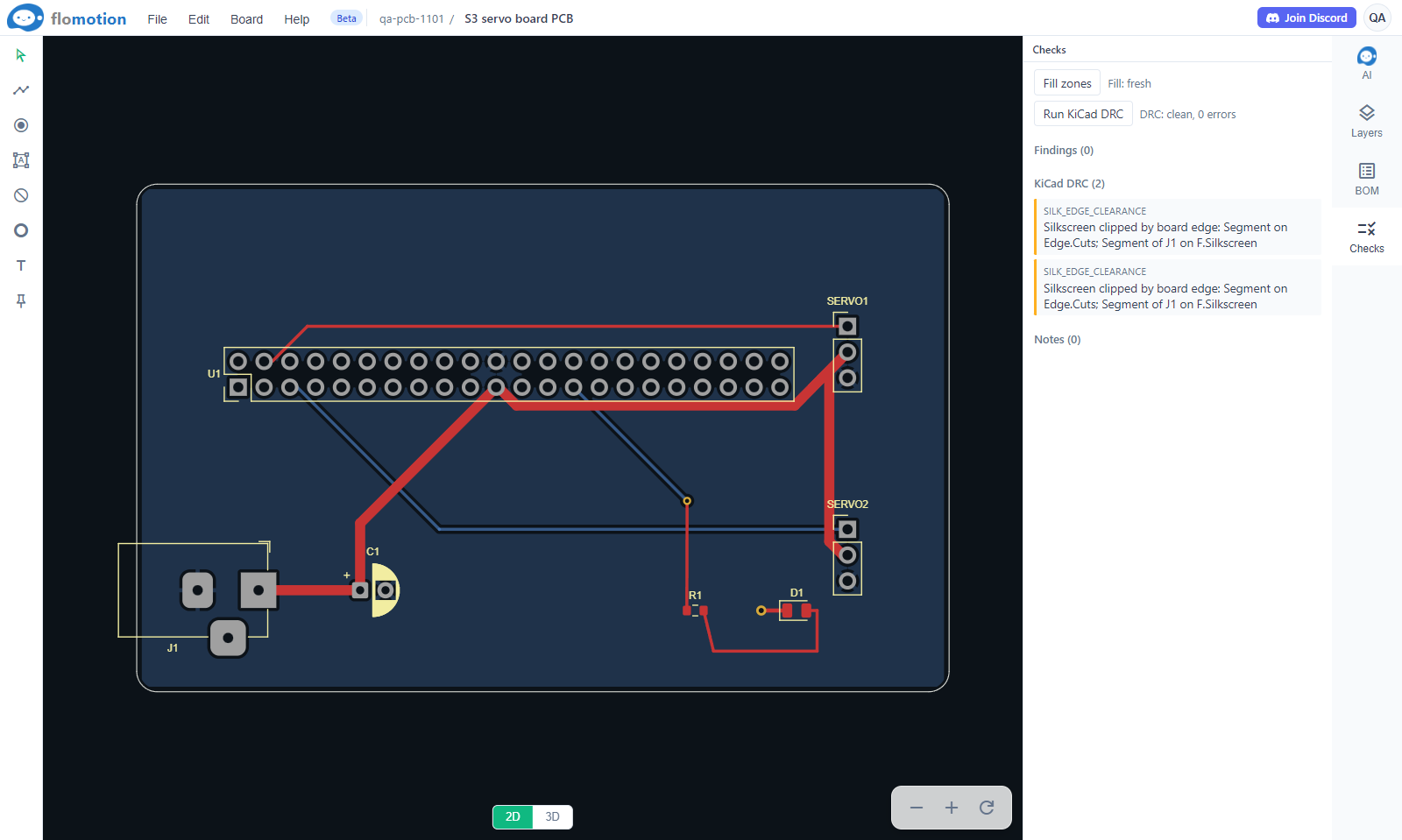
Run KiCad DRC fills the zones and runs KiCad's own design rule check, the same one KiCad runs on the desktop. A board built from a schematic is also compared with it: a banner over the canvas counts parts that are missing, parts not in the schematic and pads on a different net.
Assembly and BOM
BOM lists the parts. With Assembly set to JLCPCB, each part that the fab should solder gets its LCSC part number, typed in or found with the search link beside it. Modules and off-board parts (dev boards, sensor modules, motors) are not fitted by the fab and are left out of its BOM. The agent asks in chat for numbers it does not have.
Export
File → Export makes the files a fab or another tool needs:
- Gerber and drill: the zip for ordering bare boards, with an image of every layer for a last look.
- BOM and CPL: the part list and placement file, in JLCPCB's format when assembly is set to JLCPCB.
- STEP: the board with its parts for an enclosure in CAD.
- GLB: the board as KiCad shows it in 3D, for web viewers.
- KiCad project: the board and project file, with the part models the agent drew. The schematic's KiCad export, saved next to them under the same name, makes one KiCad project.
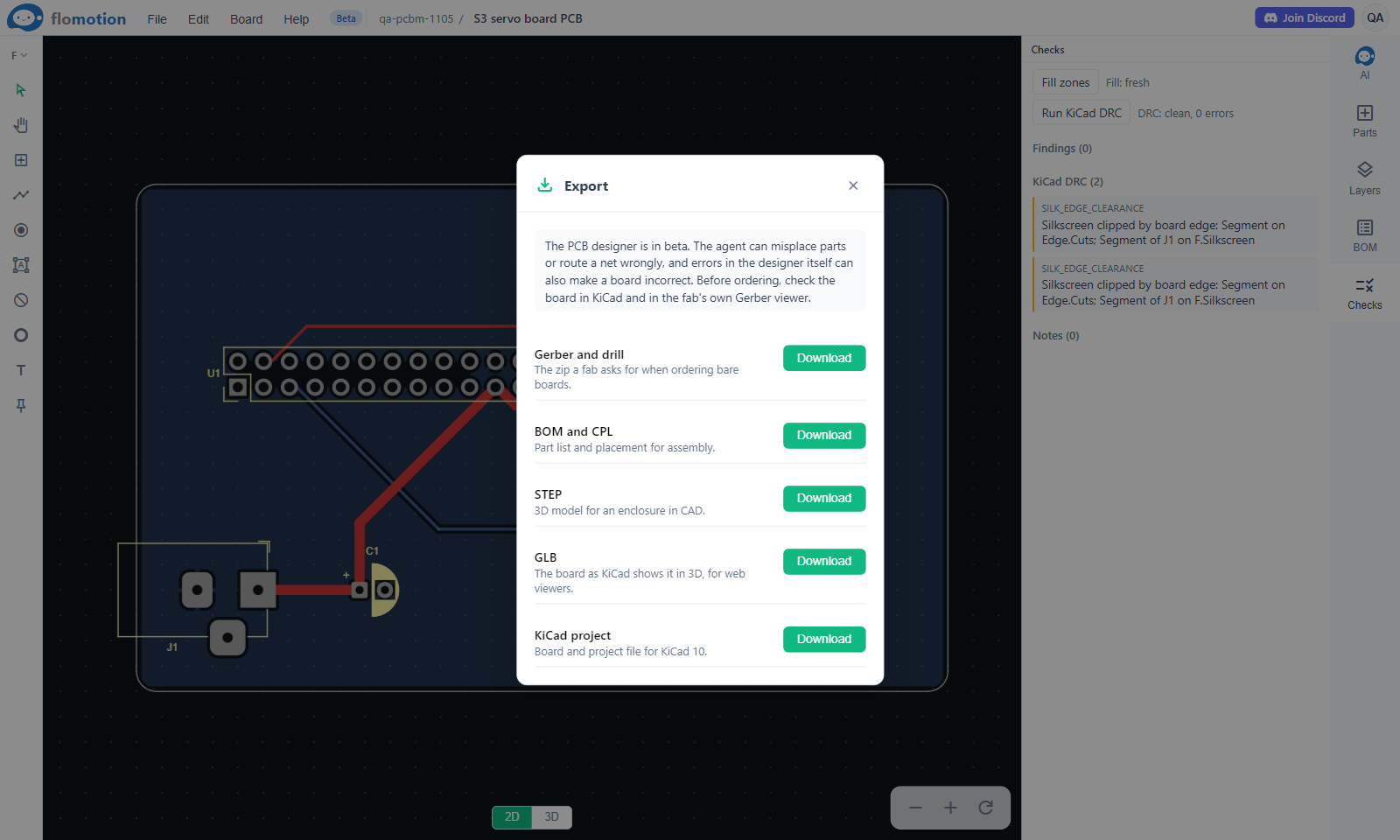
Gerber and BOM exports wait for a clean KiCad DRC; Export anyway skips it.