CAD Agent
AI agent generated parts and assemblies.
Generated design can be edited, measured and refined.
FloMotion's CAD module turns a description into a 3D model. An AI agent generates geometry and assembles parts. The result can be measured, edited, and scripted, all inside the browser.
It works wherever precise geometry matters. Brackets, enclosures, and structural frames for robotics. Parts ready to export for 3D printing. Furniture and joinery for woodworking projects.
Agent-Generated CAD
Text to parametric design
Parametric shapes, assemblies, and constraints are generated by the AI agent from a single prompt.
Read more →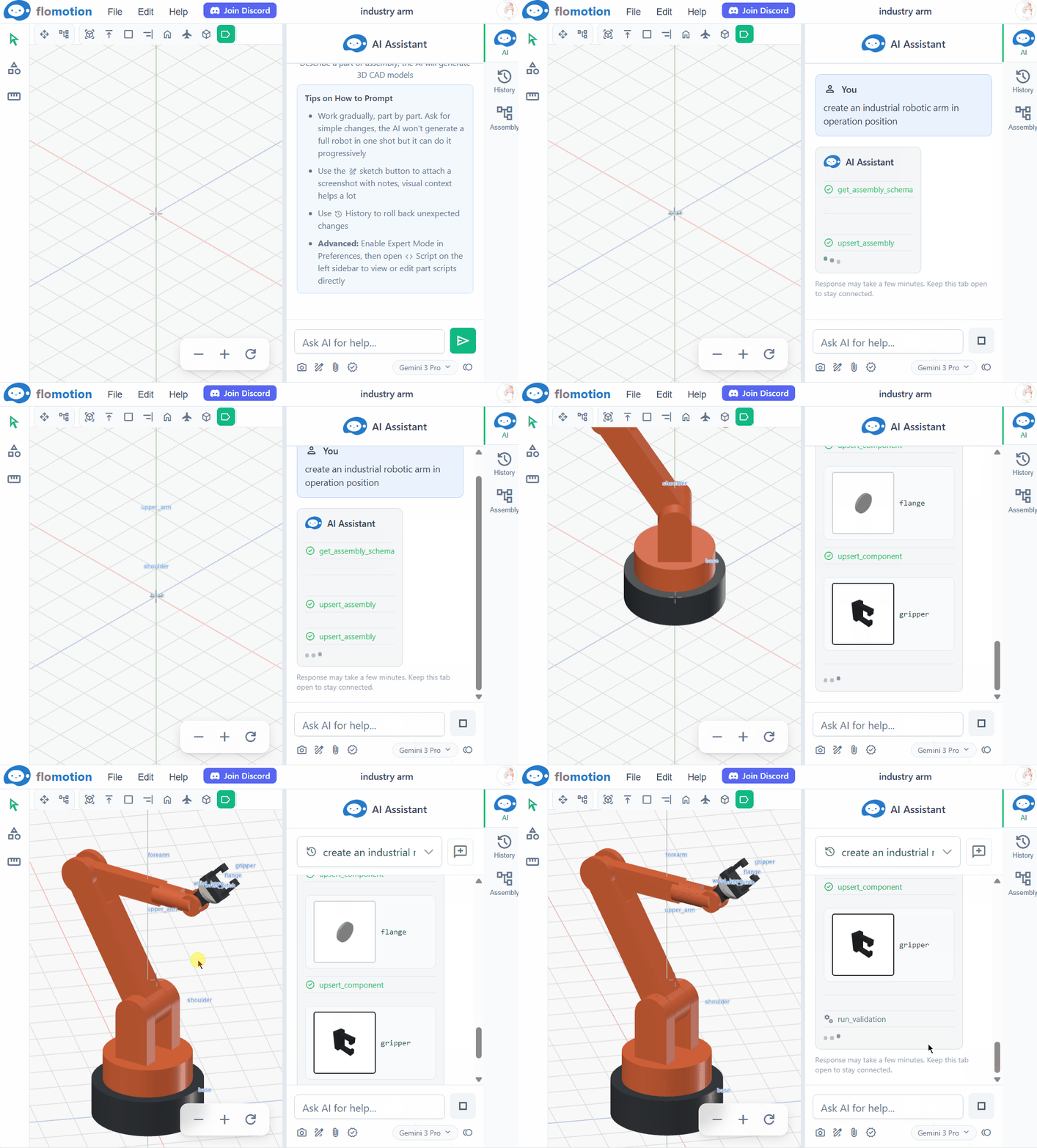
STEP Import
Start from existing geometry.
Import a STEP file as a part. Multi-body files can be split into separate parts, and the agent can reverse-engineer a part into an editable script.
Read more →Edit & Refine
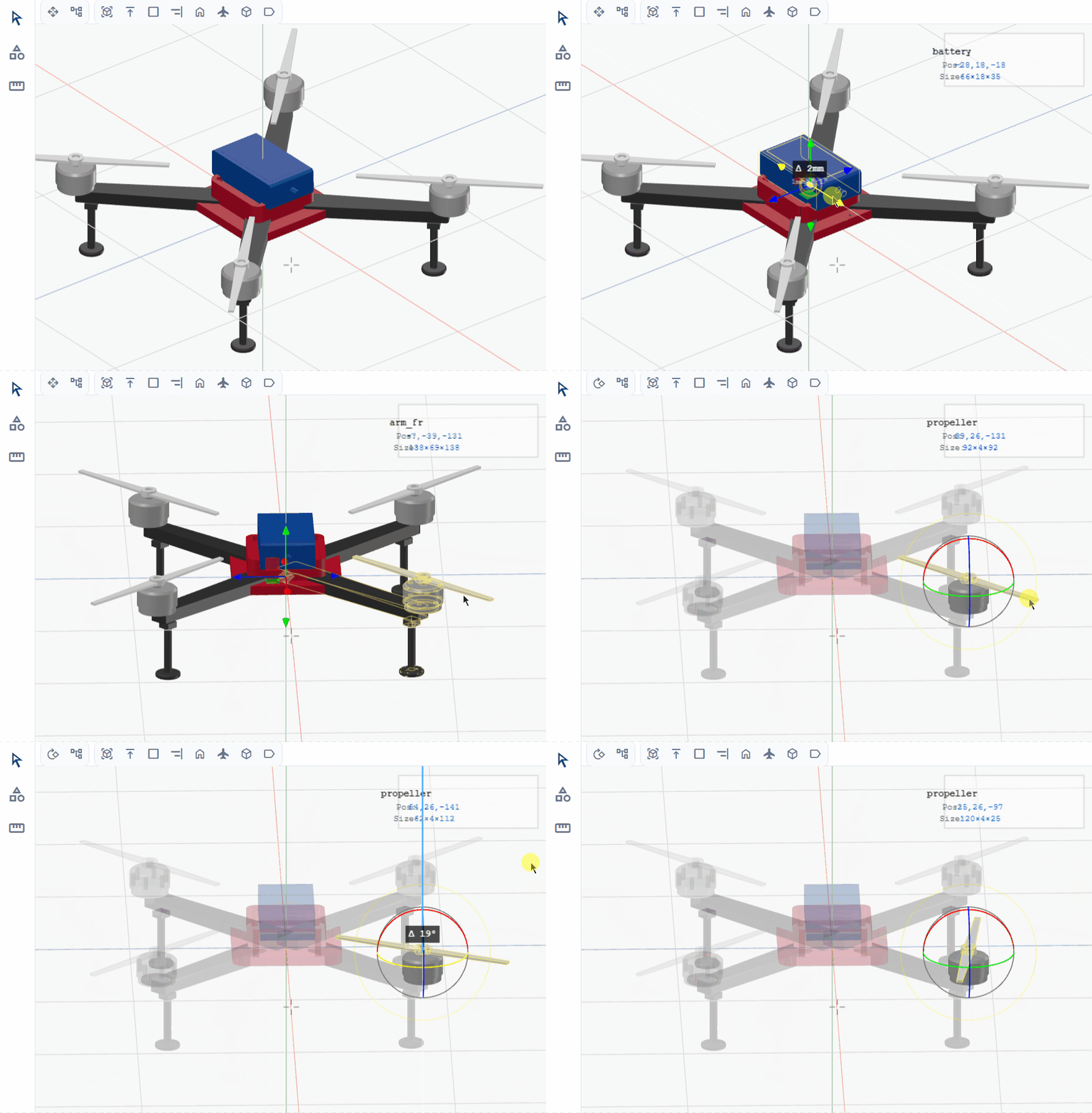
Simple tools, precise control.
Parts can be moved, rotated, and positioned with editing tools. Nodes in the assembly tree accept transforms with exact values.
Measurement
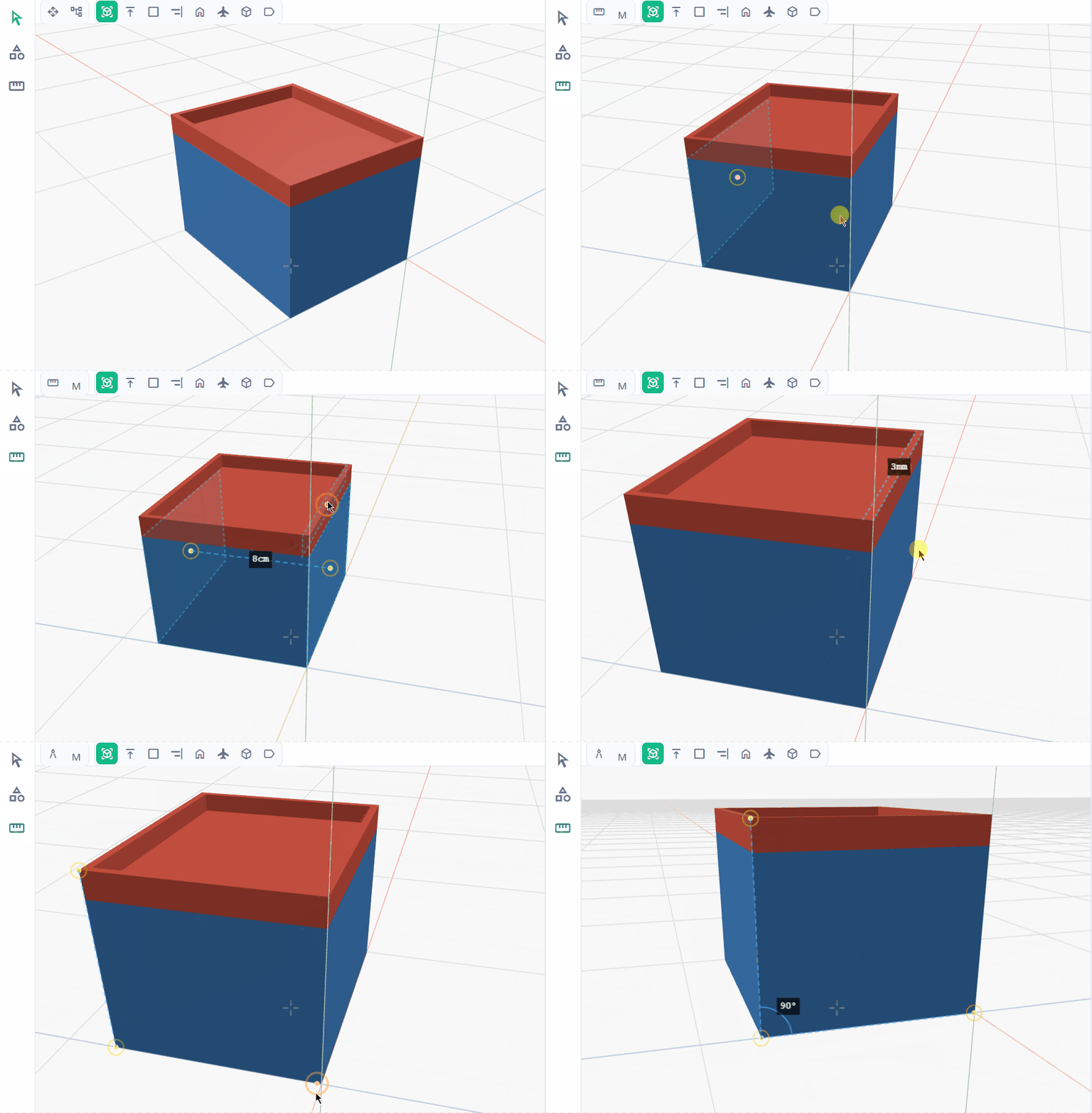
Measure distance and angle.
Pick two points or surfaces to read distance or angle. Fits and tolerances can be verified without leaving the design environment.
Script Editor
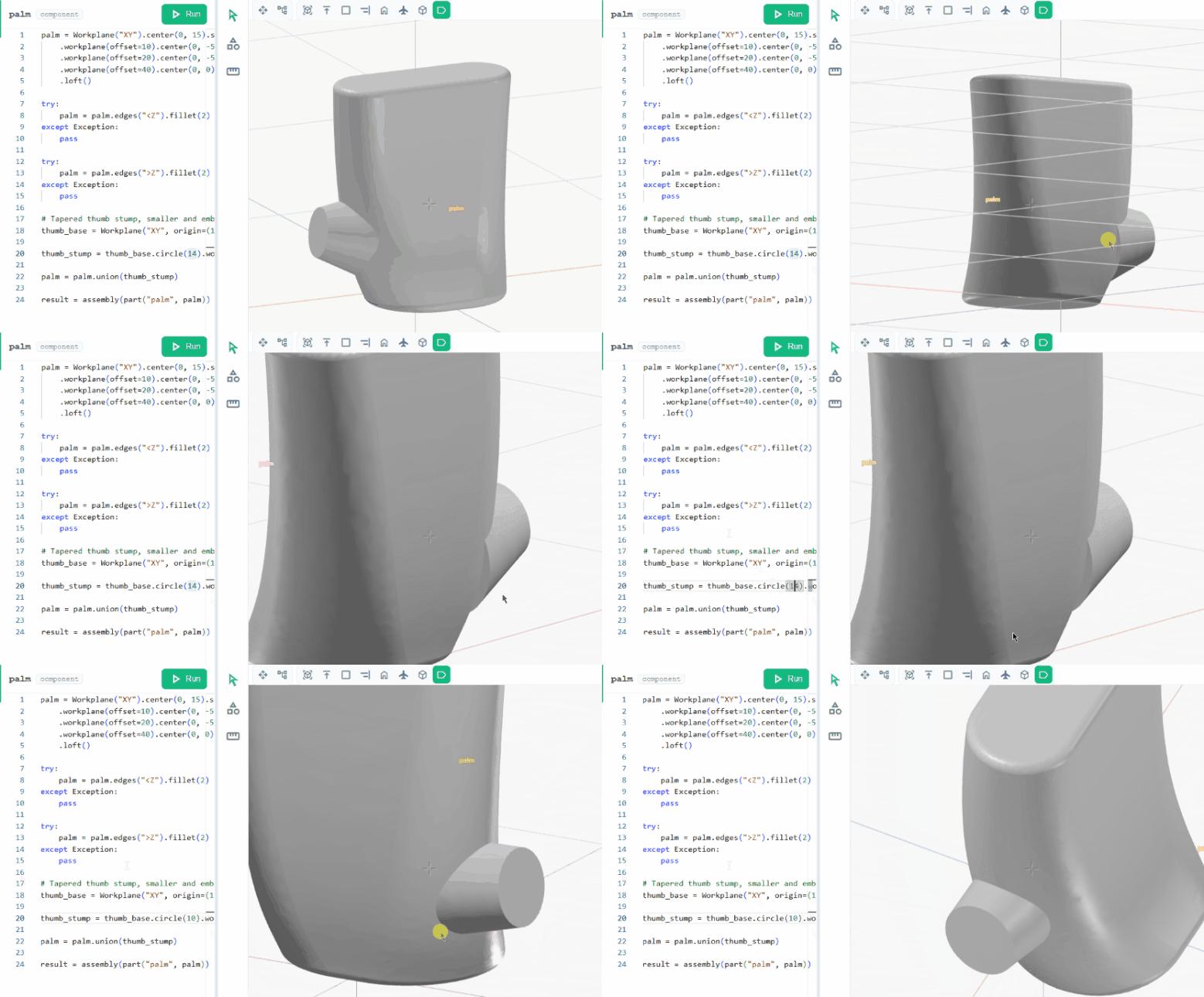
Human-AI collaboration
Small edits can be applied directly for fast iteration. The AI can also be asked for guidance from the same editor.
CAM
From part to toolpath.
The agent writes a CAM program for a part and generates the toolpath. The preview shows the cut before it happens, and the G-code exports for a sender or simulator.
Read more →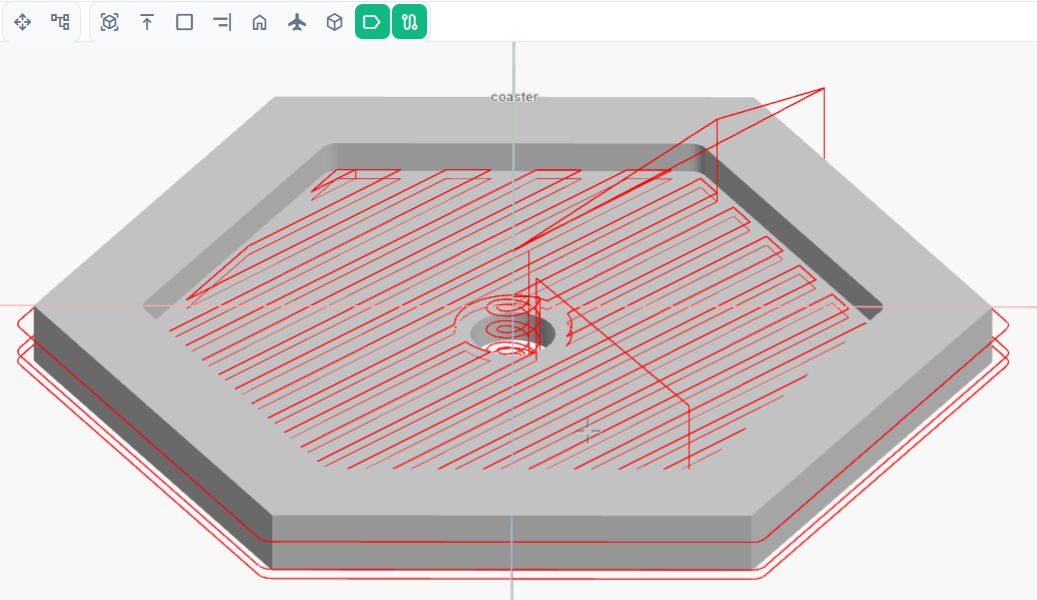
Export
Ready to fabricate.
Any part or the full assembly exports as a STEP file for CAM tools or CAD suites. Individual parts can also be downloaded as STL for slicing.
Read more →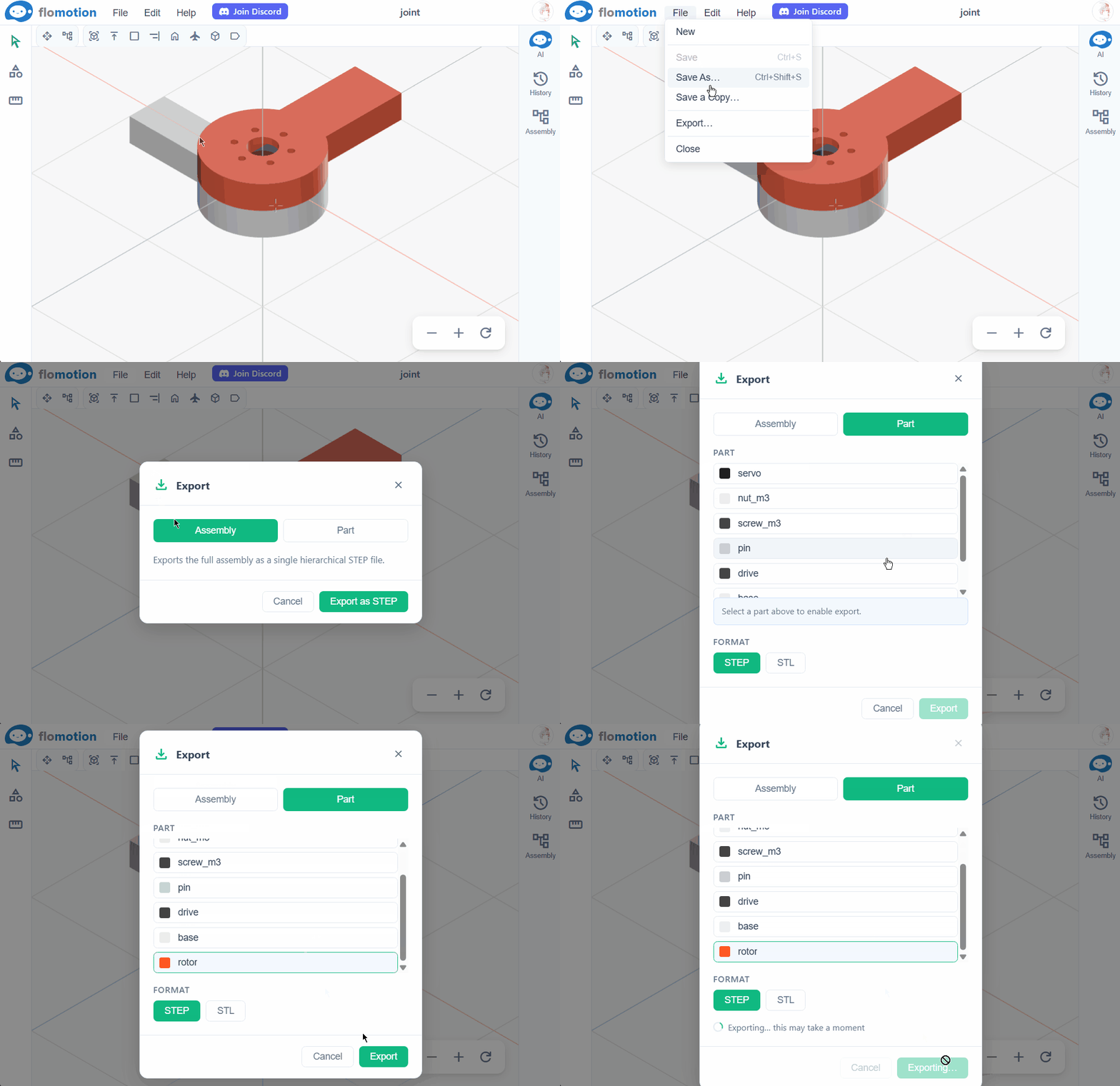
Model a part in the browser.
Start from a prompt, or open a blank canvas. The agent handles the geometry.
Start Modeling →