Online CAD editor with AI: agentic 3D part generation
May 12, 2026
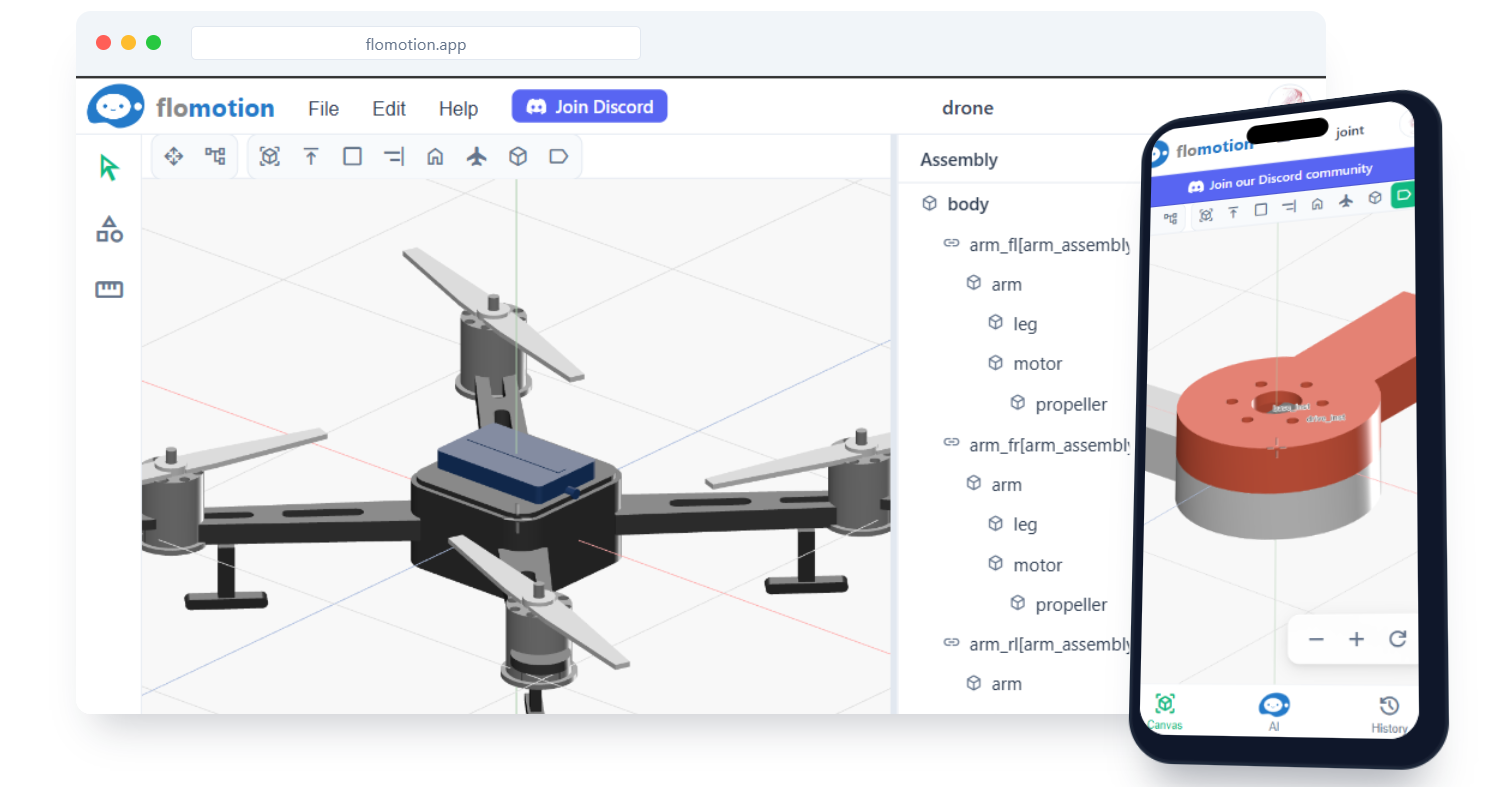
FloMotion runs a 3D CAD workspace in the browser with an AI agent attached. You describe a part; the agent builds the model and places it in the workspace. You can iterate by chat or use the inline editing tools.
What "agentic" means here
The agent does the modelling work. You describe a part; it creates the geometry, sets sensible dimensions, and adds features like holes, fillets, and pockets on request.
A prompt like "A servo bracket for an SG90 with two side mounting holes" results in:
- A bracket of an appropriate size dropped into the workspace.
- Mounting holes added at the right spacing.
Edits are incremental. "Make the wall 1mm thicker" modifies the existing part. "Add a 3mm pilot hole on the front face" adds a feature without regenerating the whole model.
Browser-based, no install
Nothing to download, nothing to install. Open the site, sign in with Google, start designing.
- Parts are saved to your account and reload on any device you sign in from.
- Export to STEP and STL, so you can hand parts off to a slicer or another CAD tool.
Mobile support
The full editor targets desktop, but mobile is supported for a real subset of the work:
- The chat panel is fully usable on a phone.
- The 3D viewport accepts touch gestures: pinch to zoom, one-finger orbit, two-finger pan.
- You can hide and isolate parts, take measurements, and trigger predefined edits.
- Multi-selection, complex transform gizmos, and the full menu bar are desktop-only.
Reviewing or making small edits to a part on a phone works. Authoring a multi-part assembly from a phone does not.
What is available today
- Prompt-to-part generation for common mechanical shapes (brackets, mounts, enclosures, plates with holes).
- Iterative editing through chat.
- Measurement tool: distance between points or faces.
- Orbit, pan, zoom, hide, isolate.
- STEP and STL export.
- Project organisation: parts live inside projects, same as schematics.
How to use it
- From the home page, click Start Building.
- Create a project, or open an existing one.
- Click New workspace.
- In the chat panel, describe the part you want.
- The agent builds it. Edit with follow-up prompts, or use the toolbar.
Try it yourself
Open the workspace, describe a part, and see what the agent does with it. No install, no setup. Sign-in is optional for the first run.
Start building