User guide / Account /
Credits
Each step the agent takes uses credits, at a rate that depends on the editor and the model. Long server jobs, such as validation runs, G-code and STEP splits, are billed separately from the agent's steps. The credits page lists what an iteration costs for each editor and model, and for coding agents through the desktop app.
Free credits
- A guest gets a few credits to try the agent.
- Signing up adds a sign-up bonus.
- A few free credits are added on days you sign in, for up to five days a month.
The pricing page shows the current amounts. A paid plan adds monthly credits, see Plans, payment and refunds.
Your balance
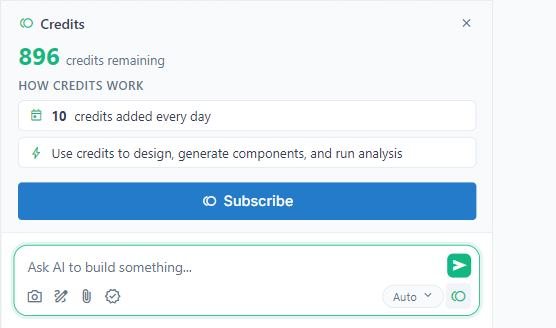
The coin button at the bottom right of the chat box shows the balance. Click it for the Credits panel: credits remaining, how credits work, and Subscribe (or Upgrade plan on a paid plan). The Account page shows the balance too.
Running out
When credits run out, the agent stops in the middle of its work and says so, and the message box is replaced by "You've used all your credits." To continue:
- A guest can sign up for more free credits.
- Wait for the next free daily credits.
- Subscribe to a plan, or upgrade the one you have.
What the agent built before it stopped stays. When you continue, tell it where it was; it reads the chat, so "continue" is usually enough.
Using credits well
- Auto picks a model that suits the editor; heavier models cost more per iteration.
- A coding agent through the desktop app costs far fewer credits, because FloMotion does not pay for its model.
- Small, clear steps cost fewer iterations than one large request that the agent has to repair.
- Credits are not refunded for iterations that did not get the result you wanted, see Plans, payment and refunds.