Leader-follower teleoperation
October 30, 2026
When a robot arm has to do a dexterous job under human control, a joystick is an awkward tool. An arm has six or seven joints, and nudging them one by one or steering a gripper through three-dimensional space with two thumbsticks takes concentration. A more direct approach is to hold a second arm shaped like the robot and move it by hand. The person moves one device, the leader, and the robot, the follower, copies the motion. Older texts call this master-slave teleoperation. This article looks at how leader-follower systems work and how they developed, then sets up a GELLO-style rig driving a UR5e arm in a FloMotion scene.
Two ways to copy motion
A leader-follower rig maps the motion of the leader onto the follower in one of two ways: in joint space or in Cartesian space.
Joint space. The leader has the same joint layout as the follower. Each follower joint copies its partner's angle, adjusted by a sign and an offset. No inverse kinematics is involved. Because every joint is matched, the whole posture of the arm, elbow and wrist included, is reproduced on the follower. Only angles are copied, so the leader does not need to be the same size as the follower. A desktop replica can drive a large industrial arm.
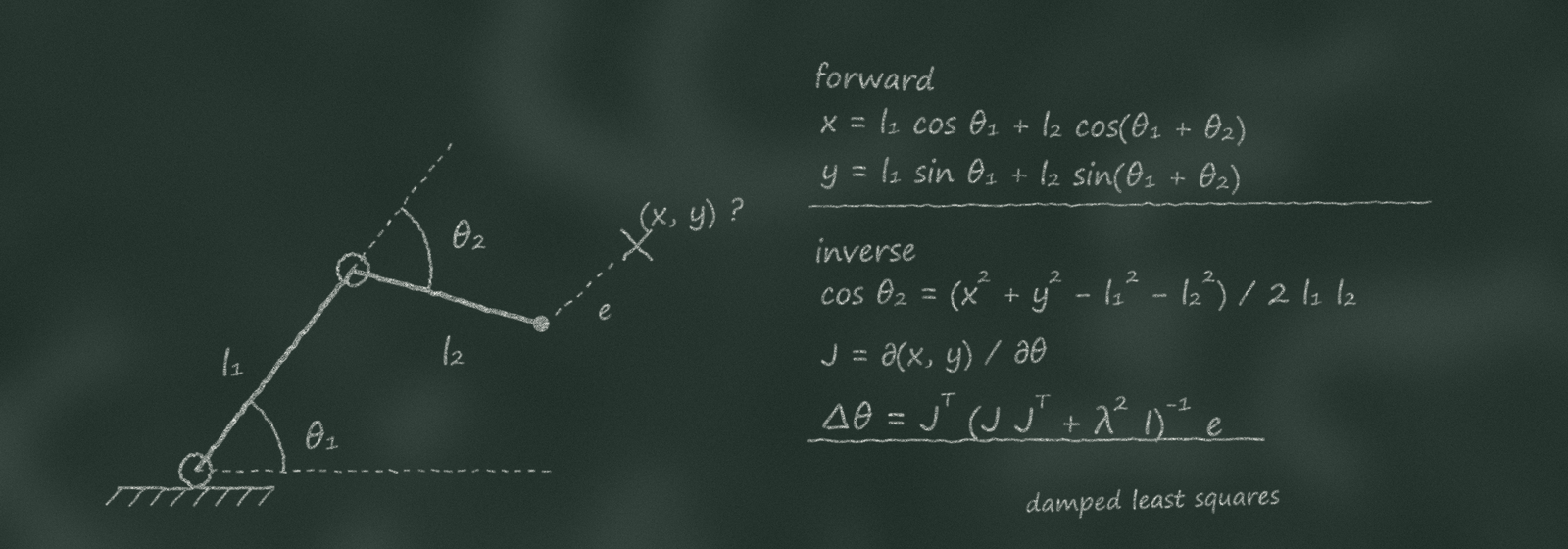
Cartesian space. The position and orientation of the leader's hand are mapped to the follower's tool, and the follower solves inverse kinematics to reach that pose. Because only the hand pose crosses over, the leader can have any shape. The motion can also be scaled down so a large hand movement produces a tiny tool movement, and hand tremor can be filtered out in software.
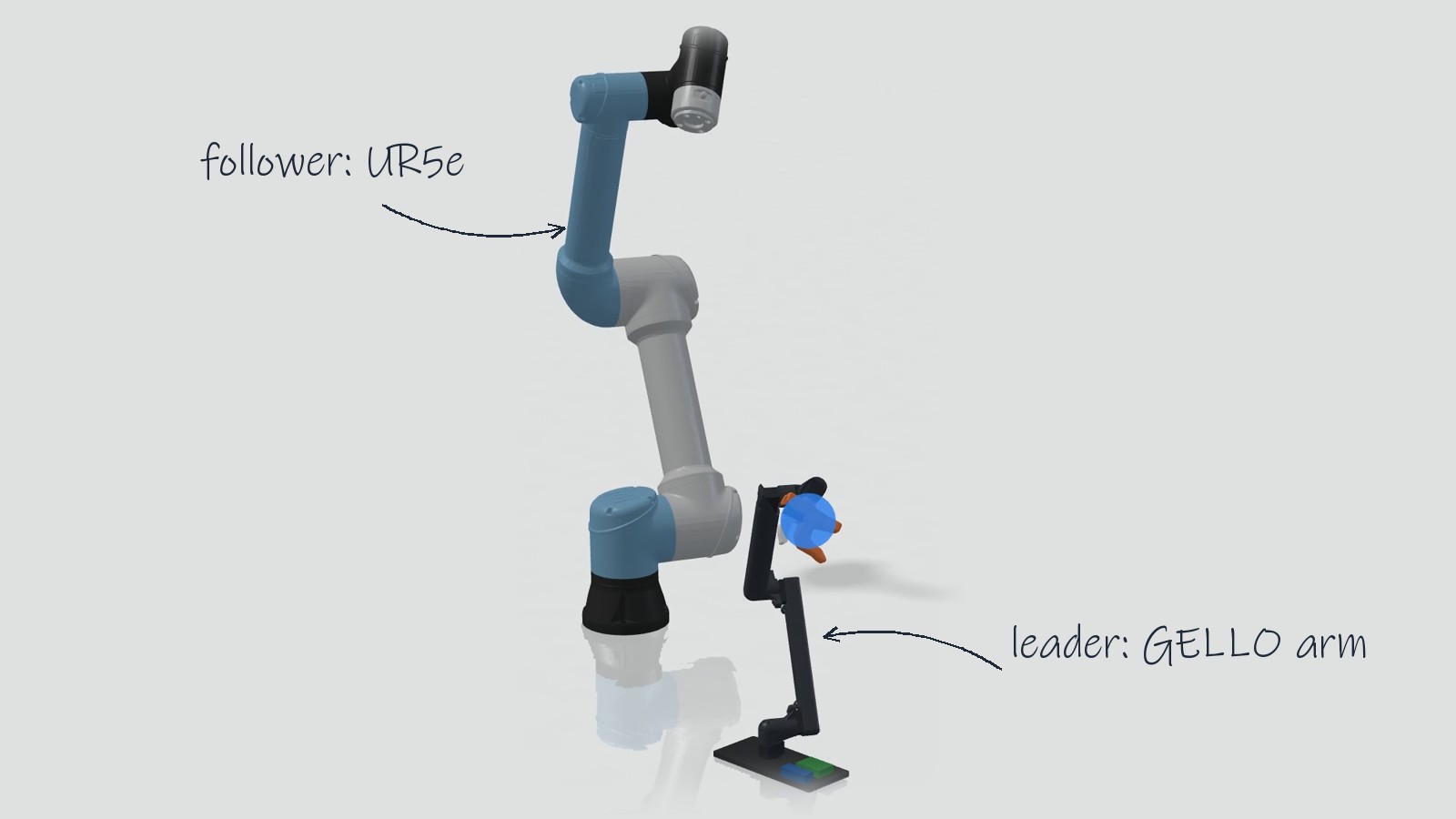
Independent of the mapping, a rig is either unilateral or bilateral. In unilateral teleoperation, motion goes one way, from leader to follower. Most low-cost leader arms are unilateral. In bilateral teleoperation, the forces on the follower are fed back to motors on the leader so the operator feels contact when the robot touches something.
From hot cells to policy training
Leader-follower manipulators started in the late 1940s at Argonne National Laboratory, where Raymond Goertz built mechanical master-slave manipulators for handling radioactive material inside shielded hot cells. The operator stood outside a thick leaded glass window and held a handle. Cables and linkages passed through the wall to a pair of tongs on the inside that copied every motion of the hand. Mechanical manipulators of this kind are still standard in hot cells today.
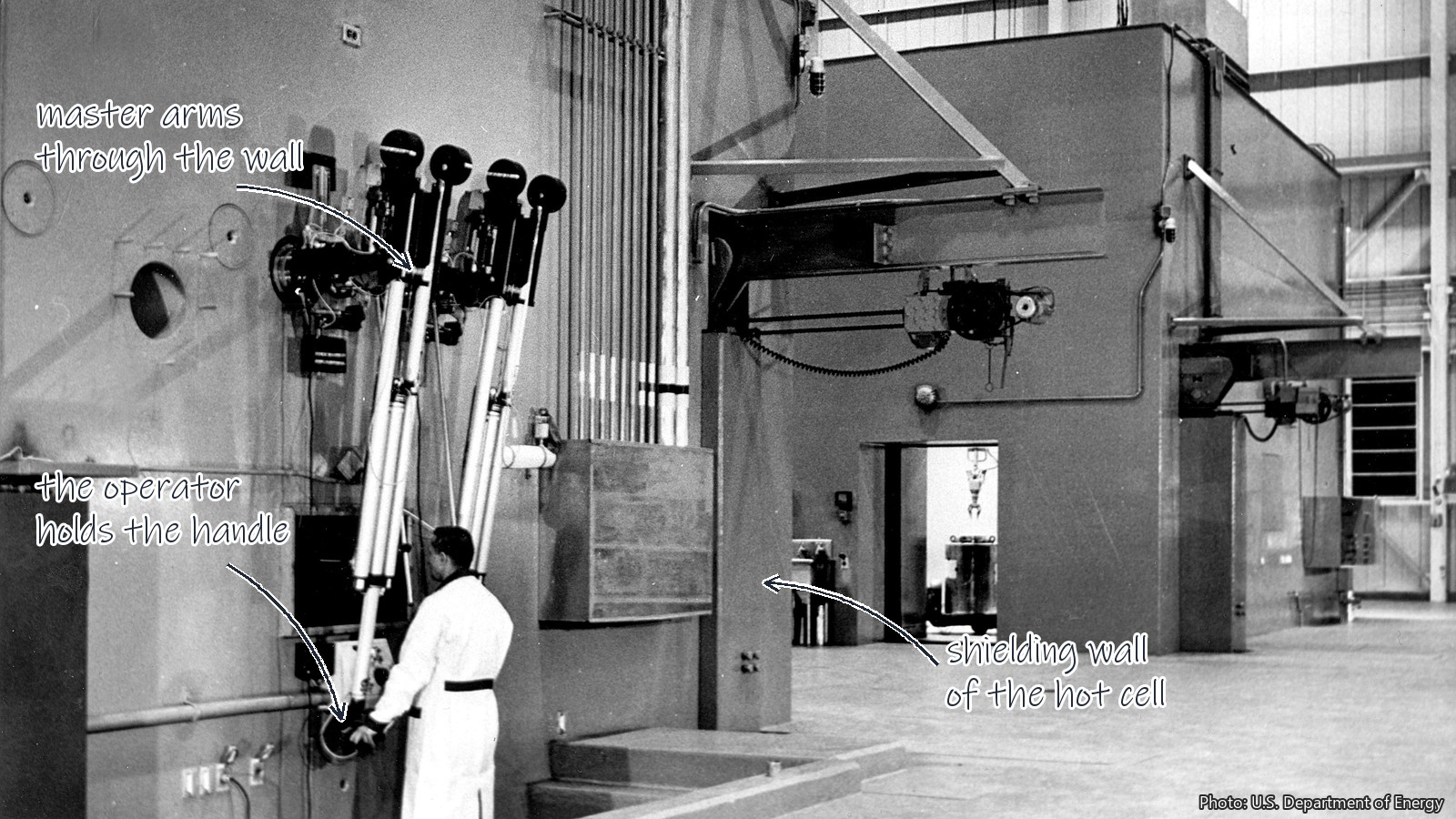
In 1954 Goertz's group replaced the mechanical linkages with electric servos that both drove the follower and reflected forces back to the operator's handle, the start of bilateral teleoperation. The same joint-space idea moved to the ocean floor: underwater work-class ROV manipulator arms are often driven from a small replica master arm on the ship.
Surgery took the Cartesian route. The da Vinci surgical system, cleared by the FDA in 2000, is a leader-follower system in which the surgeon's hand motion at a console is scaled down and filtered before the instruments inside the patient copy it.
Since 2023, cheap joint-space leader arms have found a new job: recording demonstrations for training robot policies. Stanford's ALOHA (2023) uses two low-cost leader arms driving two follower arms for two-handed tasks. UC Berkeley's GELLO (2023, GELLO: A General, Low-Cost, and Intuitive Teleoperation Framework for Robot Manipulators) is a 3D printed leader arm built for a few hundred dollars. It uses Dynamixel XL330 servos as joint sensors with their torque turned off, read over a U2D2 USB adapter on a PC, with versions for the UR5, Franka Panda and xArm. Hugging Face's LeRobot project does the same with its SO-100 and SO-101 leader and follower arms.
Regardless of the hardware, every joint-space copy loop has the same parts. It reads the leader at a fixed rate, maps each joint with a sign and an offset, clamps the result to the follower's limits, and eases the follower in at the start so a different starting pose does not make the robot jump.
Setting up a rig in a scene
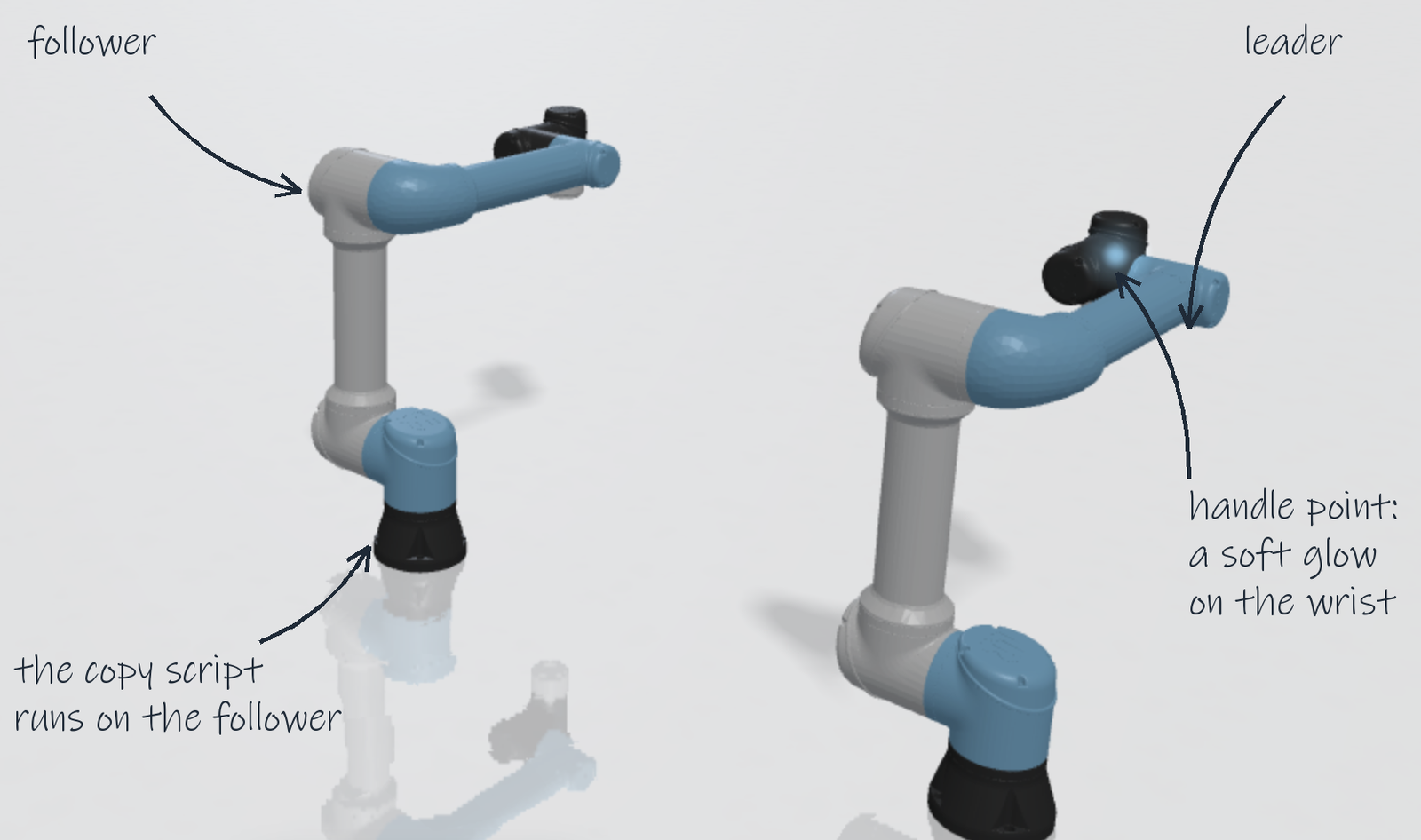
In a FloMotion scene, a leader-follower rig is two robot assemblies and a control script on the follower. A GELLO arm driving a Universal Robots UR5e is a typical example.
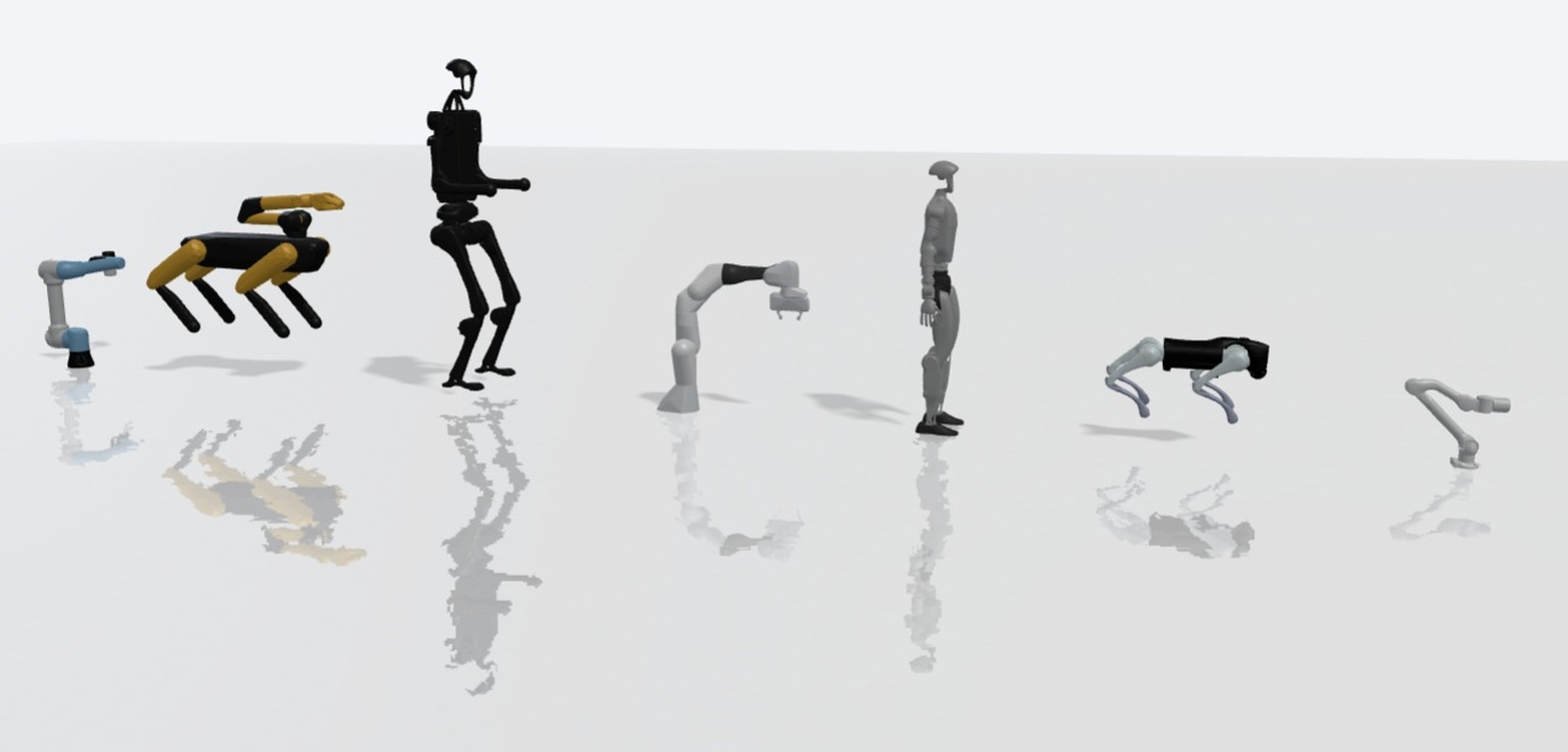
A new scene asks where its robot comes from. Picking the UR5e from the MuJoCo Menagerie places the follower, which already has position servos on its joints. The leader is added as a second assembly through File → Import assembly. That second assembly can be a model of the leader arm in the project, such as a GELLO imported from STEP files, or the follower's own workspace placed a second time. Because only joint angles are copied, either works. The two arms are placed apart on the floor so dragging the leader never hits the follower.
From there, the rig can be set up from the scene chat by asking the agent: "Make the leader arm drive the UR5e like a GELLO rig."
The agent does three things:
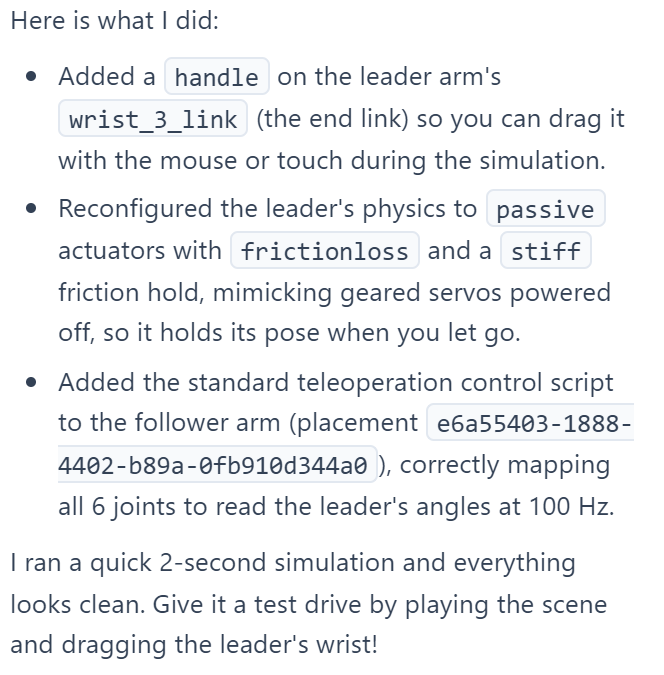
- It puts a
handlepoint on the leader's wrist or gripper link, where a hand holds a real leader. Only links with a handle point can be dragged in the viewport. - It adjusts the leader's physics so the arm holds its pose like a physical leader with unpowered geared servos: gravity compensation on its links, joint friction matching the torque it takes to turn the servo by hand, and a stiff hold so it does not creep when released. This changes the leader placement in this scene only; the same workspace in another scene keeps its own physics.
- It writes the copy loop as a control script on the follower.
The copy script
"Leader" and "follower" are names inside the control script, not special roles the scene knows about. Every control script in a scene can read the joints of every arm in the scene and drives only its own.
The script keeps the rig's numbers as plain data in a RIG block at the top, containing only what the loop reads:
const RIG = {
  leaderId: "gello",
  rateHz: 100,
  startRamp: { steps: 25, maxStepDeg: 2.86 },
  joints: [{ leader: "base/shoulder_pan", follower: "shoulder_link/shoulder_pan", sign: 1, ratio: 1, offsetDeg: 0 }],
  gripper: { leader: "wrist/trigger", follower: "wrist/gripper", leaderRangeDeg: [0, 40] },
}
leaderId names the arm to copy from; the follower needs no entry because it is the arm the script is attached to. Joint keys are paths relative to each arm, as shown in the arm's joint list, such as upper_arm/elbow.
Below the RIG block sits a generic loop. It waits for the next step at rateHz, reads the leader's joint angles, applies sign, ratio and offsetDeg, clamps each value to the follower's joint limits, and returns the targets. For the first startRamp.steps steps it moves the follower toward the leader by at most maxStepDeg per step, just as gello_software eases the real arm in at startup. Between steps the script returns nothing and the follower holds its last targets.
After writing the script, the agent runs the scene once and reads the script log. A joint path that does not exist logs a warning that lists the real joint paths on the arm, and the agent uses that list to fix its mapping. The agent handles common rigs well in practice, though it can get a joint sign or mapping wrong, so the motion is worth checking in the viewport.
Moving the leader
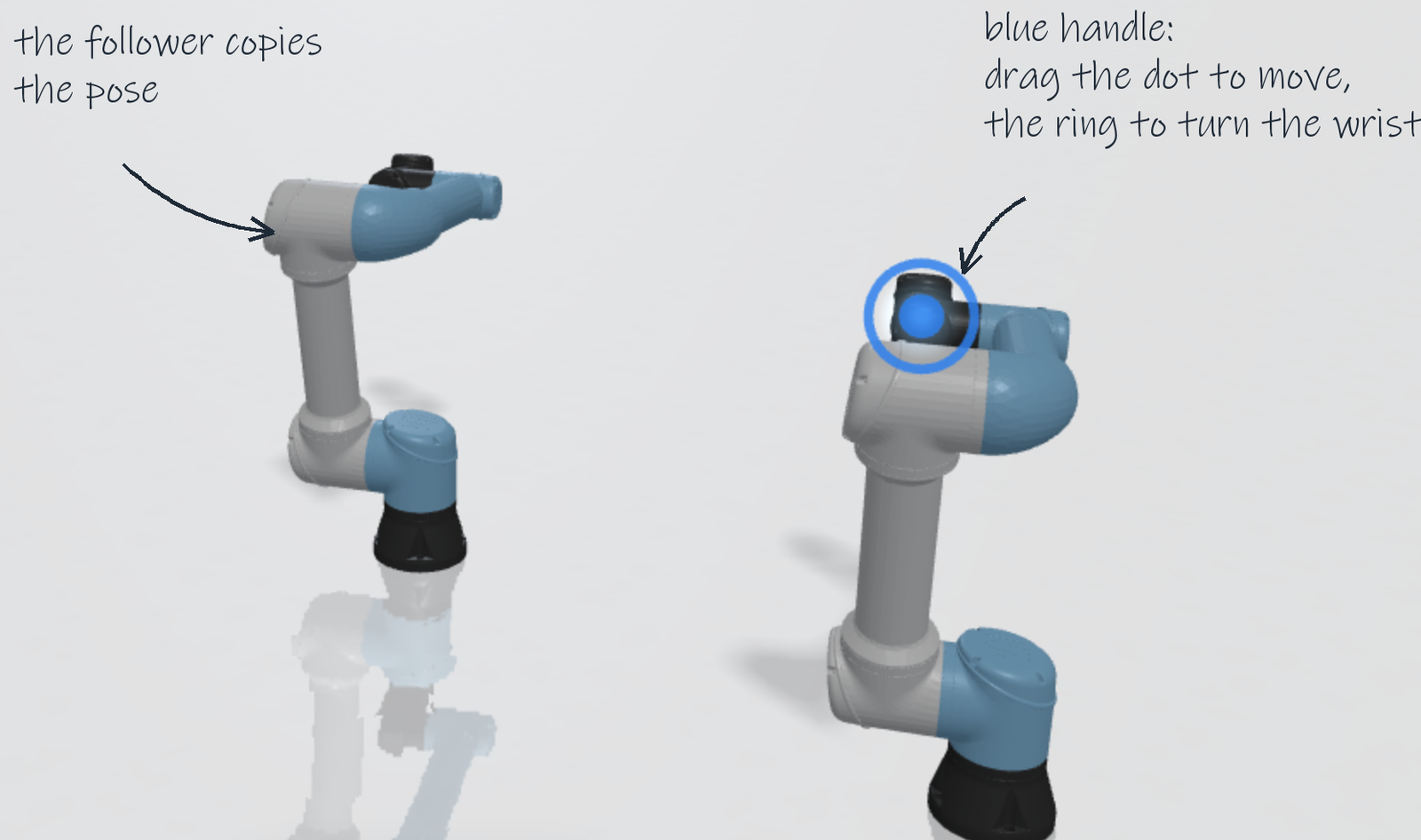
When Play is pressed, handle points show on the leader as soft glows that brighten on hover. Paused scenes show no handles.
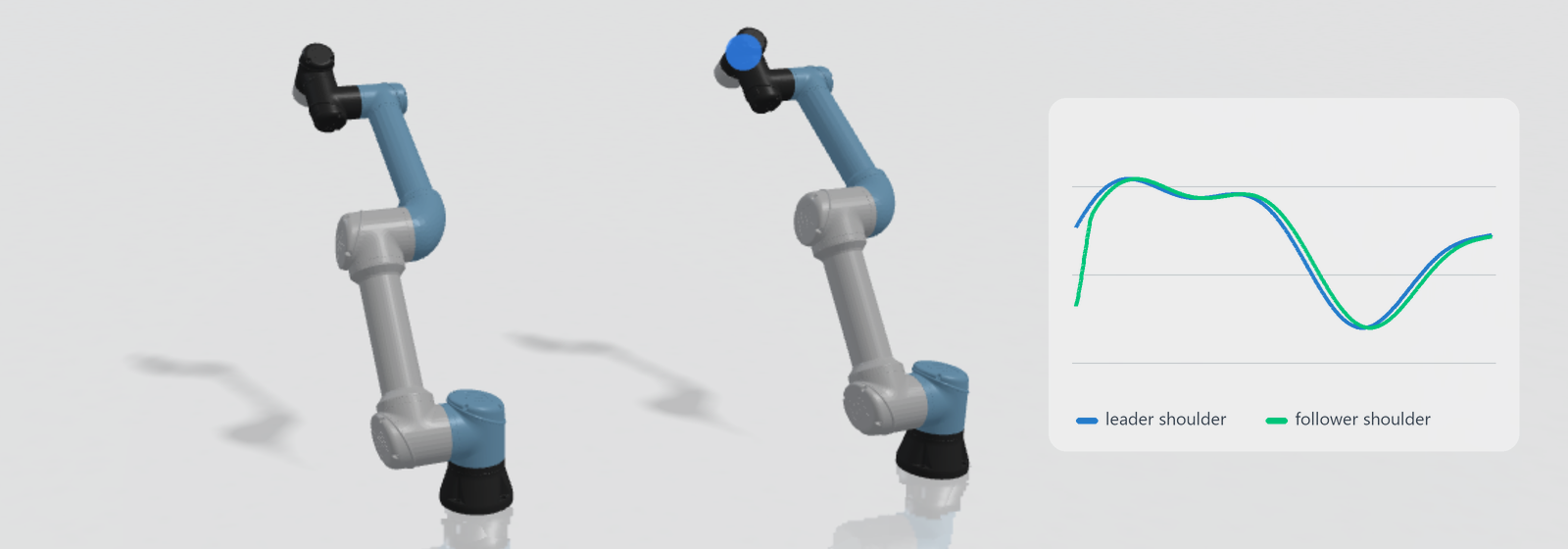
Pressing the left mouse button on a glow and dragging brings up a blue handle. The leader follows the pointer, and the follower copies the leader on its next control step. The follower itself is never touched by the mouse; it moves only through its script.
While the handle is dragged, the browser solves inverse kinematics for the leader every control step and pulls its joints toward the solution with a torque, while compensating gravity, damping and friction on the held arm. Joints nearer the base move most and the handle's own joint moves least, so the arm moves as a whole like a physical arm pulled by its wrist. During a drag the camera stays put.
On release, the pull stops and the leader stays where its joint friction holds it. The blue handle remains on the point with a ring around it. Dragging that ring turns the wrist about the view direction, and later drags keep that turn. Pressing Escape or clicking on empty space drops the handle. A Handles toggle in the view toolbar hides the glows when they are not needed.
Checking the copy
The Diagnostics tab next to the viewport shows how closely the follower tracks the leader. It lists every joint of each robot with its target, actual, error, qvel (speed) and force (torque), in degrees, °/s and N·m for rotary joints and mm, mm/s and N for slides. Passive joints on the leader show actual and speed.
Next to each reading is a red record button that plots the value on the top chart; a stop button takes it off. New chart adds an empty chart at the top and pushes existing ones down, and the record buttons always fill whichever chart sits on top. A reading keeps the same colour across every chart. Charts fill while the scene plays, and the scene saves which readings each chart records, without saving the recorded values themselves.
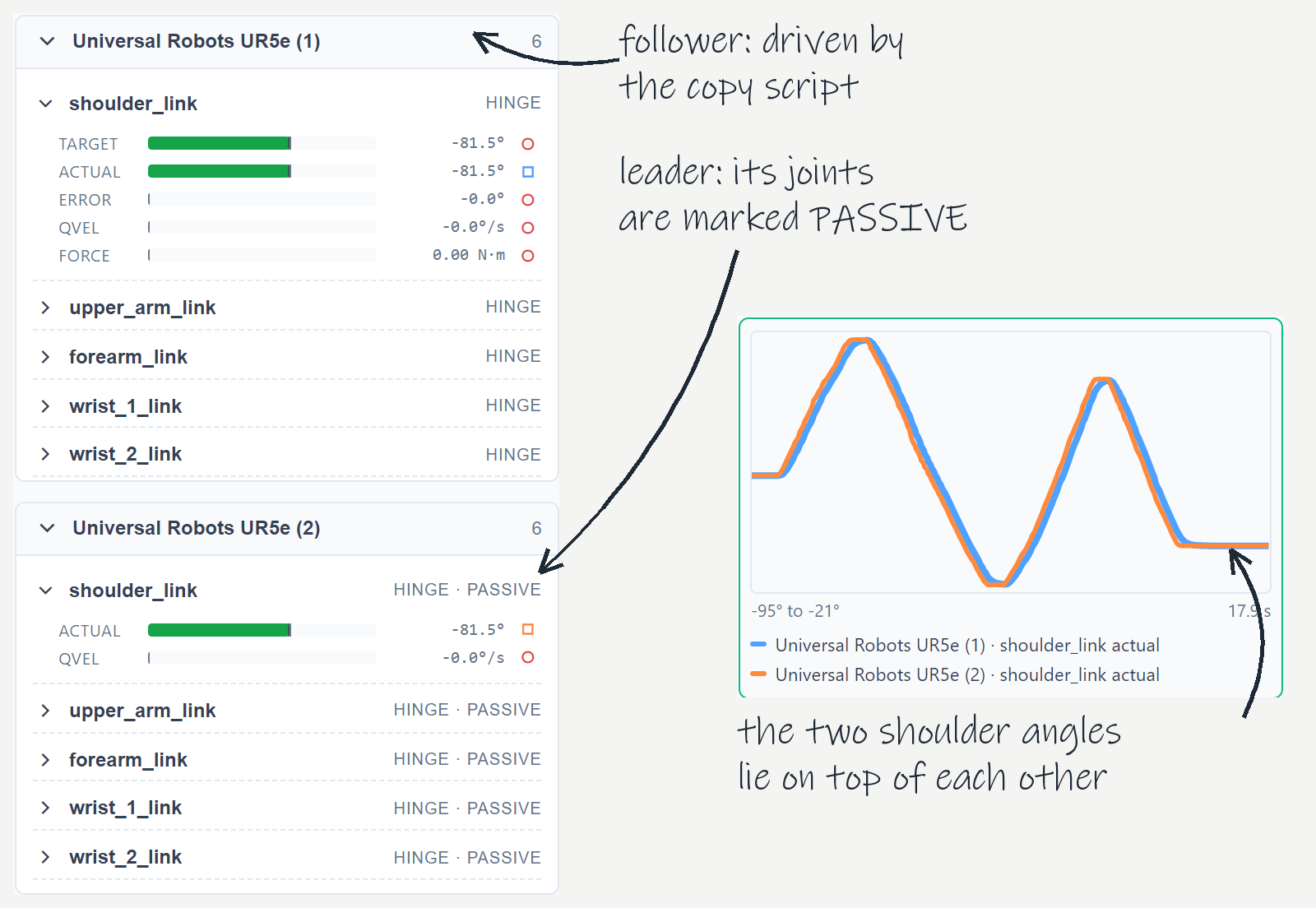
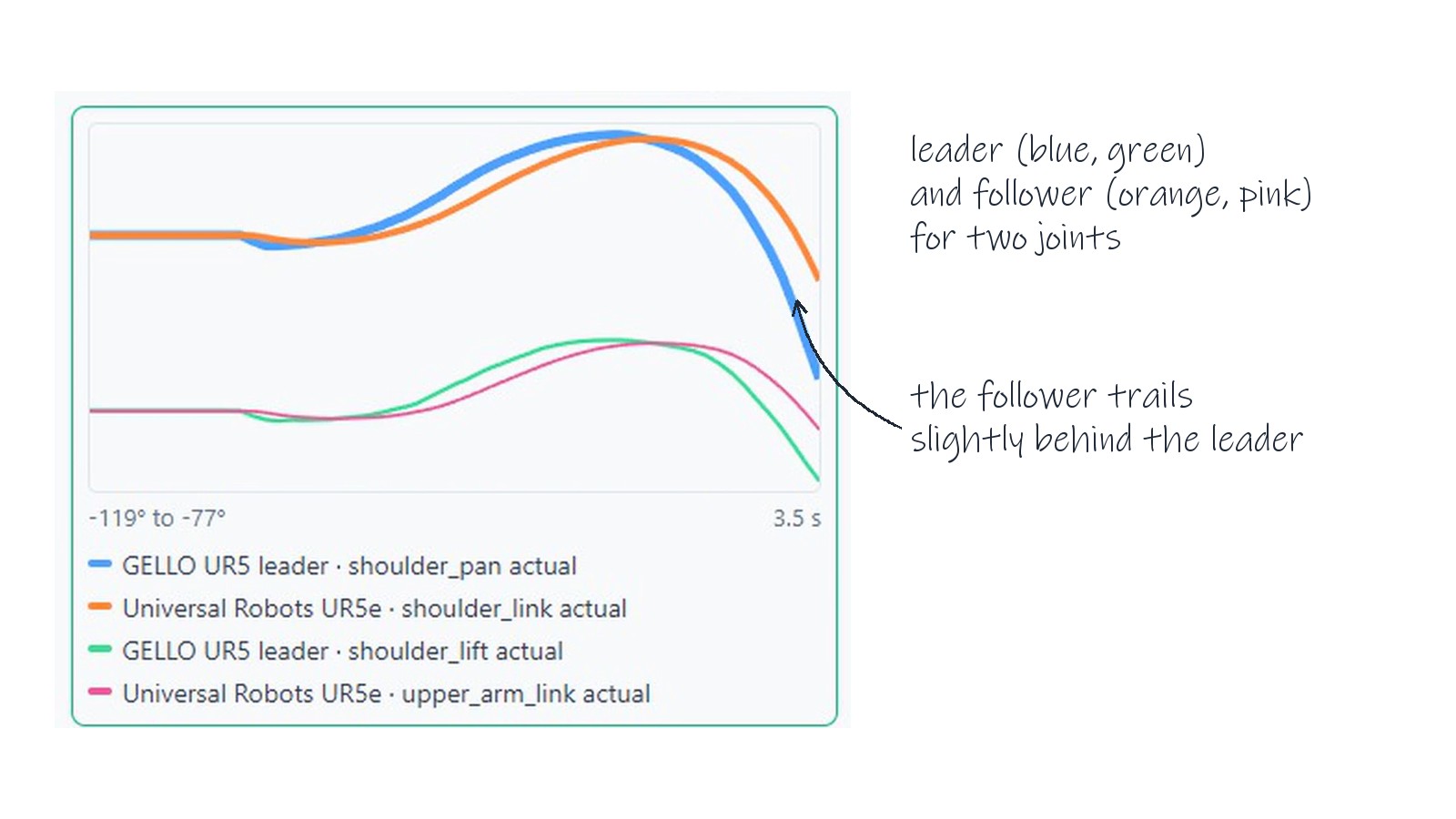
Recording the leader's and the follower's shoulder actual angles on one chart and swinging the leader shows two lines lying on top of each other, with the follower slightly behind. When the lines do not match, the shape of the gap points to the cause:
- A constant gap between the two lines means an
offsetDegis needed (or needs adjusting). - Lines moving in opposite directions mean a flipped
sign. - The follower line flattening out while the leader keeps moving means the follower hit a joint limit or its servo ran out of torque. The joint's
forcereading tells the two apart.
Where the copy loop runs
In a physical setup, the copy loop runs either on a PC or on a microcontroller. Both setups have a counterpart in the scene.
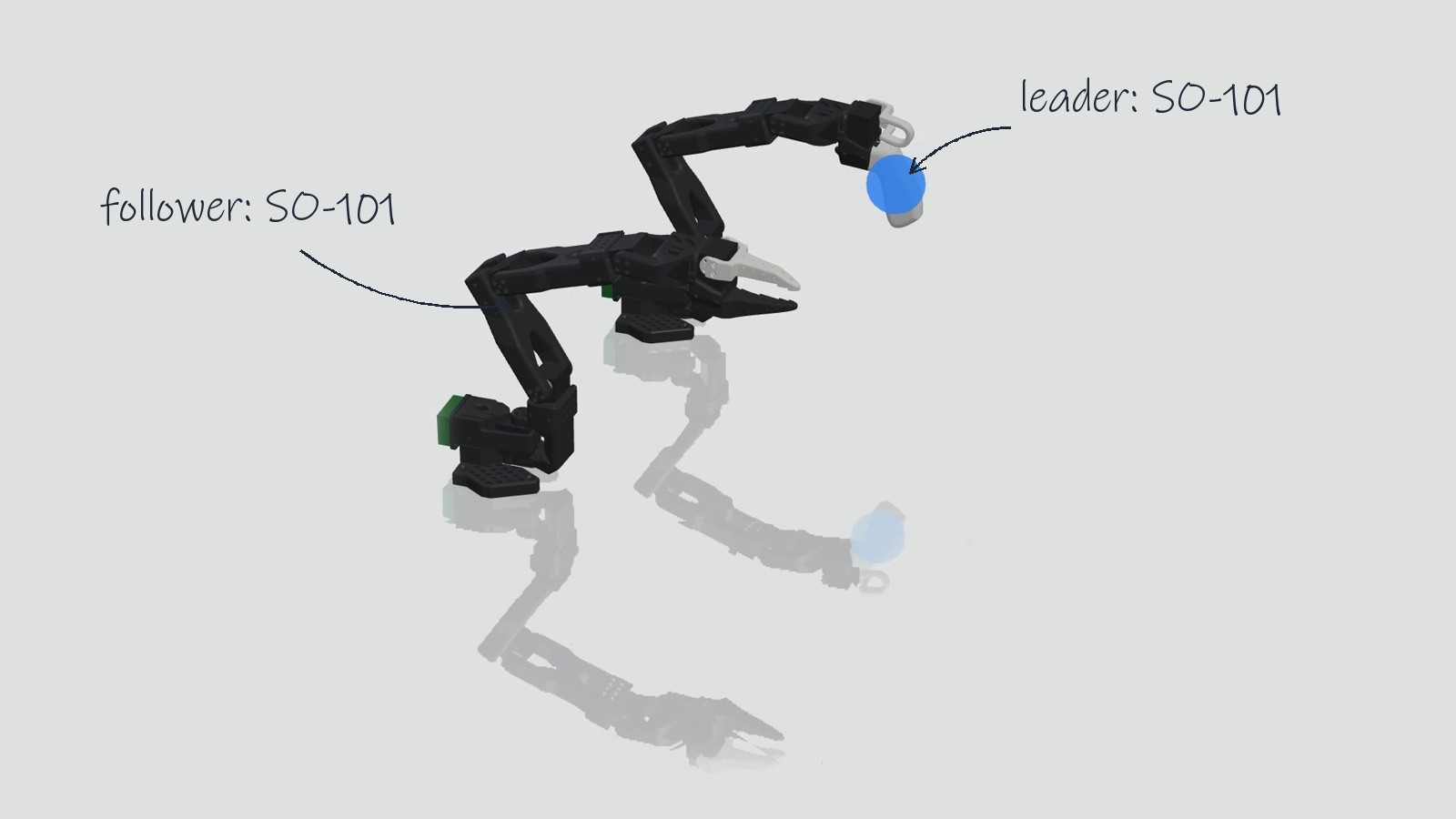
On a PC. Systems like GELLO and LeRobot read the leader over USB and send commands to the follower from a Python process on a workstation. In the scene, the follower's control script stands in for that program. The values in RIG (the sign, ratio and offset per joint, the gripper range, the rate and the start ramp) are the same parameters gello_software is configured with. On a real built arm the offsets still have to be measured on the hardware, because each servo's zero depends on how its horn was mounted on the spline. What the scene checks beforehand is that the mapping is right in principle: the right joints are paired, the directions match, and the workspace stays inside the follower's limits.
On a microcontroller. Many hobby leader and follower arms skip the PC. Potentiometers in the leader's joints wire straight to the analog pins of an ESP32 or a Raspberry Pi Pico, and the same board drives hobby servos in the follower. In a scene, that sketch lives in a firmware codebase attached to the follower. A short mapping script alongside it turns the leader's joint angles into the voltages its potentiometers would produce on the analog pins, and reads the chip's servo pulses back as the follower's joint targets. The board runs in the browser emulator, so the scene shows the loop rate and lag the real chip would have. The agent sets this up from a prompt such as "run the copy loop on an ESP32 with a potentiometer per leader joint and a hobby servo per follower joint".
Limits
- The leader is dragged with a mouse in two dimensions and depth comes from the solver, so some poses are easier to reach after turning the camera.
- The follower's servos are ideal position servos with the torque limits from its model; a real UR5e controller's speed limits and latency are not simulated.
- No force feedback reaches the operator; the rig in the scene is unilateral.
- A physical leader arm is not connected to the scene; the whole rig runs in the browser.
Summary
In leader-follower teleoperation a person moves a leader arm and a follower arm copies it, either by matching joint angles directly or by tracking the hand pose in Cartesian space. In a FloMotion scene, a joint-space rig like GELLO is built from two robot assemblies: a leader with a draggable handle and friction on its joints, and a follower running a copy script (or emulated firmware) that maps the leader's angles across at a fixed rate. Dragging the leader and plotting both arms in the Diagnostics tab checks the joint pairing, signs, offsets and limits before running the loop on hardware.
Links
- GELLO project page and gello_software, UC Berkeley's low-cost teleoperation framework.
- ALOHA project page, Stanford's bimanual teleoperation system.
- LeRobot, Hugging Face's robot learning library and SO-100/SO-101 arm designs.
- MuJoCo Menagerie, curated robot models including the Universal Robots UR5e.
Try it yourself
Open the workspace, describe a part, and see what the agent does with it. No install, no setup. Sign-in is optional for the first run.
Start building