Building simulation worlds
November 13, 2026
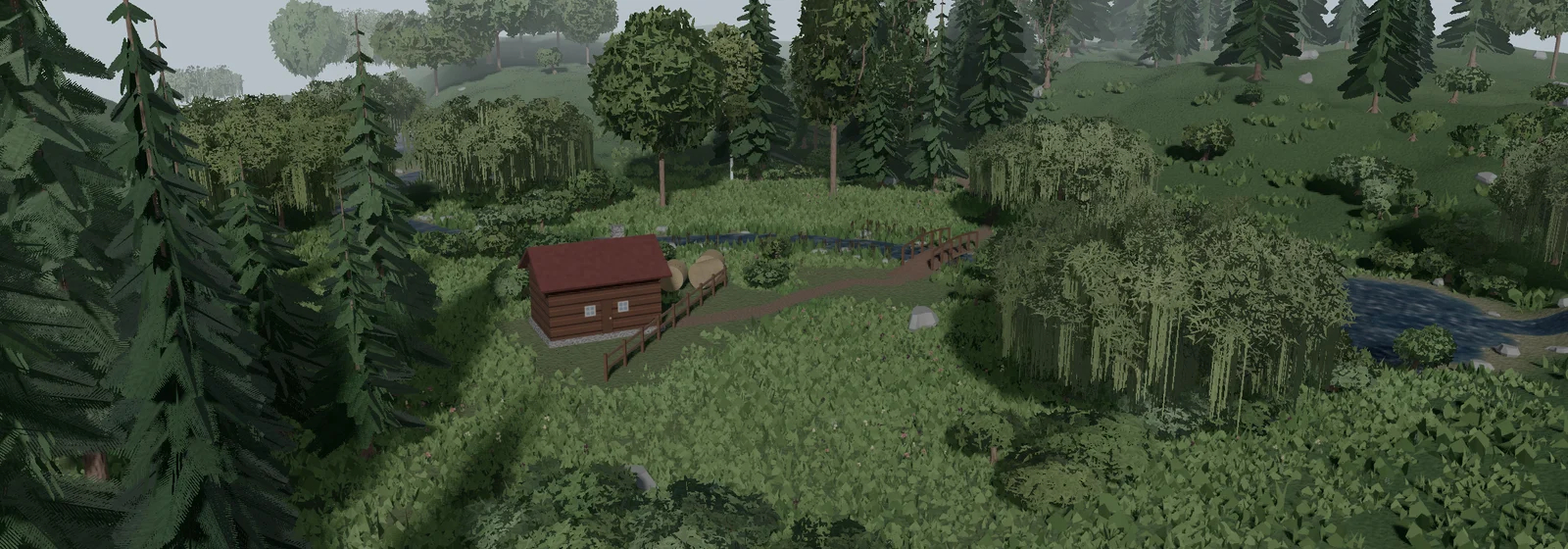
Building a simulation world for a robot lets it drive or walk on terrain such as slopes, steps and paths, and handle the objects of its job, such as parcels on a conveyor belt. A camera attached to the robot sees a world similar to the real one.
In FloMotion, a scene can be started from a world template, or the AI agent builds the world from a request. Worlds are built from fields, terrain, paths, water, scenery, objects and moving surfaces, and run under the same MuJoCo physics as the robot.
From flat floors to procedural worlds
Before a robot is run on the bench or taken outdoors, it is usually tested in a simulator. The simulator steps the physics of the robot and of everything the robot makes contact with. Everything outside the robot itself, the floor, the ground, walls, slopes, props and lights, is the world.
In 2002, Nate Koenig and Andrew Howard started Gazebo at the University of Southern California, making full 3D worlds common in robotics research. Gazebo worlds are written as XML files in the Simulation Description Format (SDF), which lists models, lights and a ground plane. In 2012, Emanuel Todorov published MuJoCo, a physics engine widely used for robot control and learning and open source since 2022. MuJoCo scenes are written in MJCF XML, where uneven ground is represented as a height field: a regular grid of points with one elevation value per point.
Writing XML worlds by hand is slow. Every tree, wall, rock and slope is a line with coordinates and an orientation. As a result, most robot projects test on a flat floor with a few primitive boxes, far from the field, warehouse or garden the robot is built for. At the same time, robot learning benefits from varied environments. Training a controller across worlds that change in texture, light and layout helps policies trained in simulation transfer to the real robot, a technique known as domain randomization (Tobin et al., 2017).
Game and film tools solved the landscape problem by generating terrain from mathematical noise rather than drawing it by hand. Ken Perlin developed Perlin noise in 1983 after working on the film Tron, earning a Technical Achievement Academy Award in 1997. Modern terrain tools combine noise layers in node graphs: one layer shapes broad hills, another adds sharp ridges, and another masks where rock, snow or grass should appear. Bringing that procedural approach into a physics simulator lets a robot drive over graded roads and wooded hills without anyone placing individual triangles or trees.
Scenes and world templates
In FloMotion, a scene holds the robots (assemblies), control scripts and a world. The world defines the ground, terrain, paths, water, scattered plants and rocks, placed objects, emitters, lights, the sky and the visual look. Physics runs in the browser with MuJoCo.
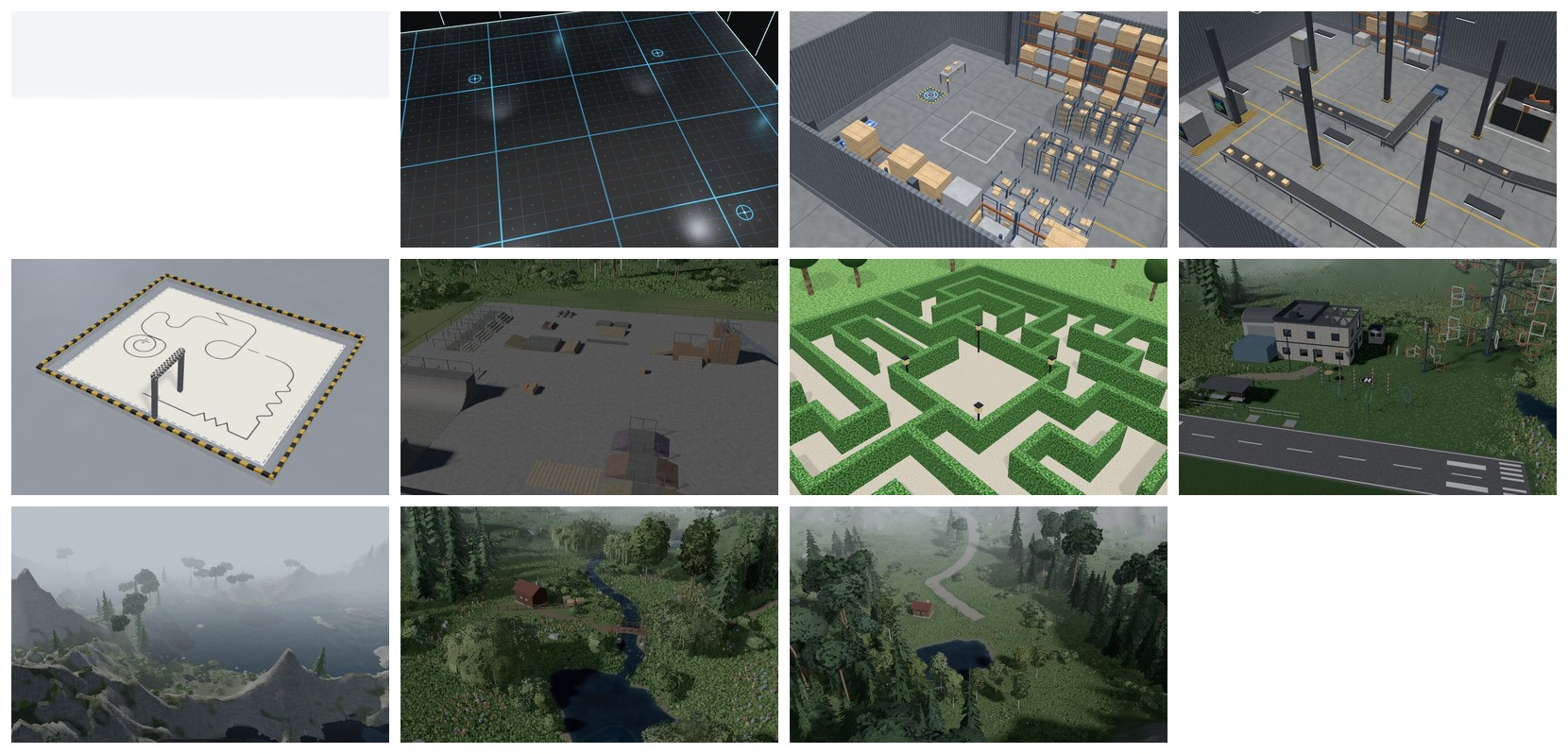
When creating a scene, the World step of the New scene dialog offers eleven world templates.
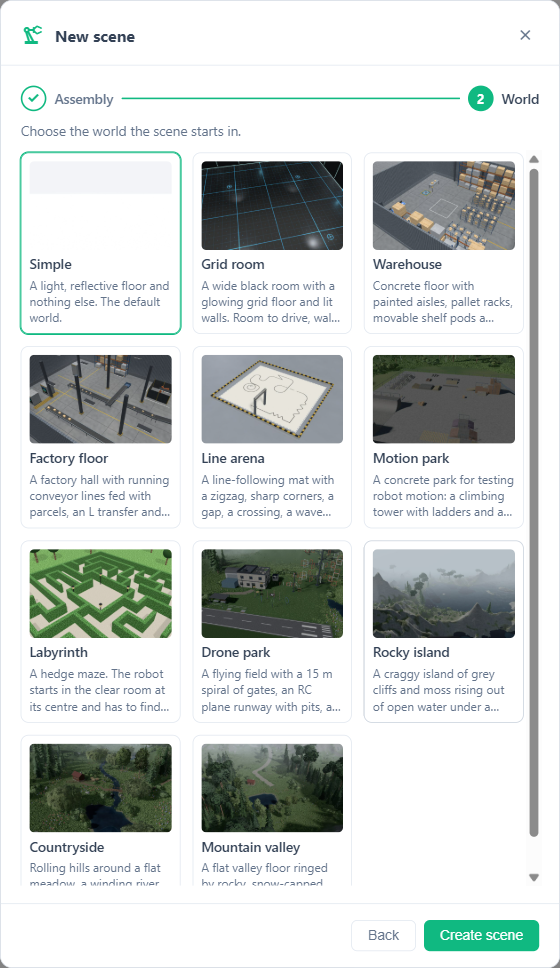
The AI agent also picks from these templates when creating a scene with create_scene. A template is only a starting point: once applied, its world belongs to the scene and every part of it can be modified or replaced. Every template keeps a clear area of about 2 m around the origin so the robot has flat, unobstructed room where it starts.
Fields, terrain, paths and water
A world in FloMotion is built from a small set of primitives rather than fixed landscape presets. A hill range, a road, a river and a lake are all combinations of fields, terrain, paths and water.
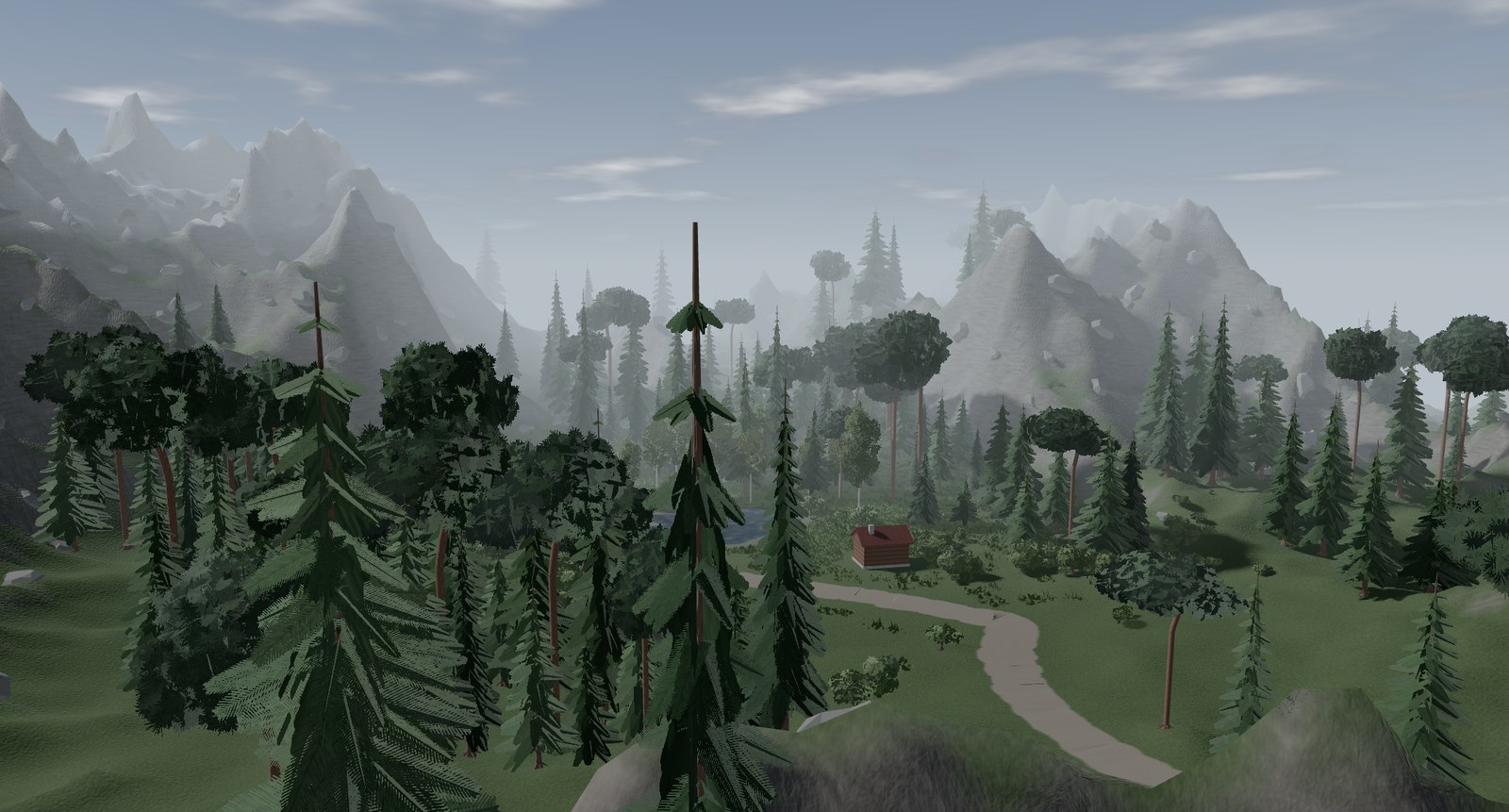
Fields are named values ranging from 0 to 1 across the ground, combined like nodes in a graph. A field can generate smooth or ridged noise, measure terrain slope or height, or measure distance from paths, water, placed objects, a point or the terrain edge. Other field nodes transform or combine values: constant, remap, invert, normalize, multiply, add, subtract, min, max and blend. Terrain elevation, material masks, tree density and ground tint all read from fields.
Terrain is a rectangle of ground raised to a maximum height multiplied by an elevation field. It is drawn in a base ground material and topped with layers that apply another material wherever a mask field dictates, such as exposed rock on steep slopes or snow above a chosen altitude. For physics, the terrain is compiled into a MuJoCo height field, so wheeled and legged robots collide with and drive on the actual slopes.
Paths are curves through a list of points with a given width, optional wandering and width variation. A path grades the terrain underneath it so robots can travel along it: level cuts and fills the ground flat across the path width, downhill forces the elevation to only ever drop along its length, and drape lies directly on the existing ground. Giving a path a water material turns it into a running river or stream.
Water is either a closed outline (a rounded blob or a polygon) or open water extending to the horizon at a fixed height. An outline levels the ground inside it to the height of its lowest edge to form a pond or lake; open water floods all terrain below its level to form a coast or island.
Scenery, objects and moving surfaces
Landscapes need vegetation and clutter, while indoor worlds need furniture, walls and machinery.
Scenery layers scatter copies of 3D objects, such as trees, bushes, grass, flowers and stones, wherever a density field allows. For a given random seed, the scatter is identical every time, with randomized size, rotation and colour tint. A scenery layer can be visual only, or have collide enabled so each scattered tree or boulder becomes a static physics body that robots bump into. Dense ground cover such as grass and flowers is drawn only around where the camera looks to keep rendering fast.
Objects and placements handle individual items in the world. An object definition is a primitive shape (box, sphere, capsule, cylinder) or a 3D mesh, set as static, dynamic or moved by a script. Placements position those objects in the world and can anchor to the terrain surface so a cabin or rock sits cleanly on a hillside. Placements, object definitions and materials use descriptive identifiers such as workbench or concrete_floor, making them straightforward to reference in scripts or prompts.
Materials control colour, roughness, metalness, friction, textures, bump mapping from the texture, water shading and floor reflections. When a custom surface pattern is needed, the AI agent can draw procedural textures as SVG using generate_texture.
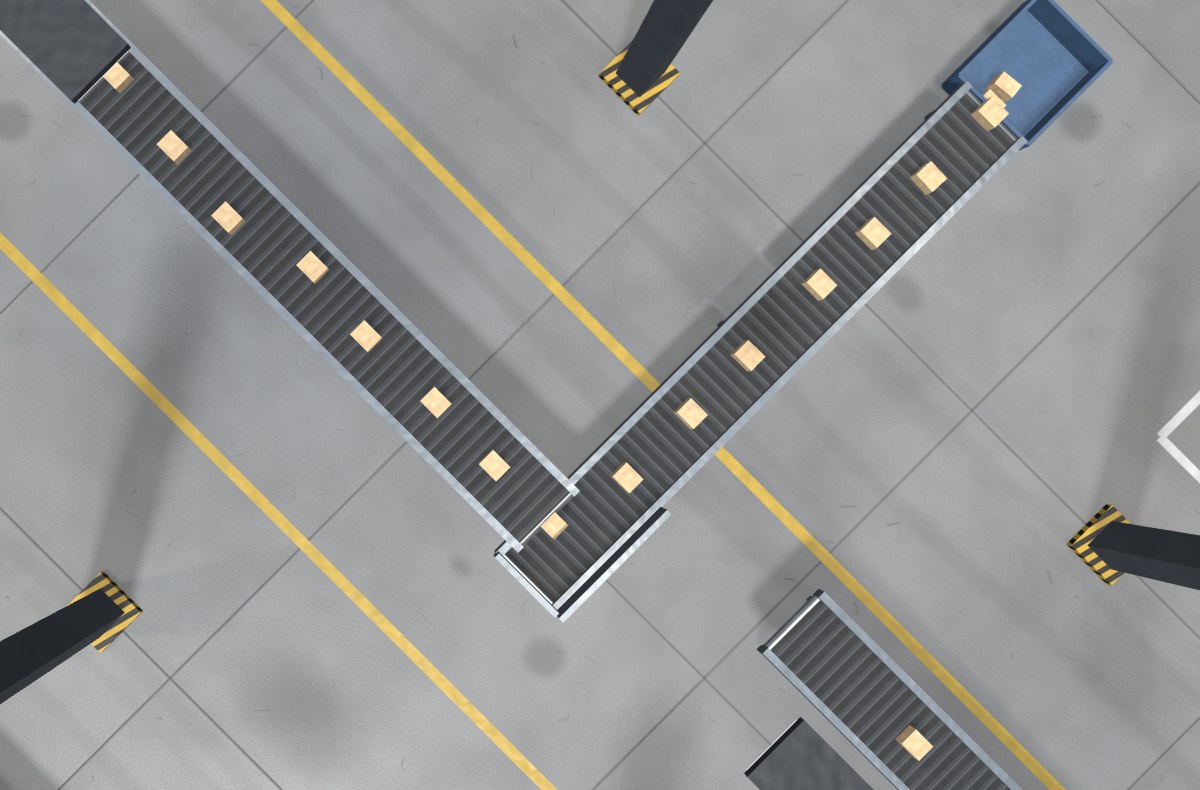
Moving surfaces bring industrial worlds to life without complex belt mechanisms. Any shape can be given a surface velocity using MuJoCo's surfacevel parameter: the geometry stays fixed in space while its surface pulls whatever touches it along by friction. A running conveyor belt is a static box with a surface velocity along its length and a texture that scrolls at matching speed. Dynamic parcels dropped onto the belt ride it forward, turn corners at an L transfer and climb inclines. The same setting on a robot link creates a moving track.
To complete the scene, lights and emitters can be placed in the world or mounted directly onto a robot link to ride along with it, such as a headlamp on a rover. Emitters spawn dynamic objects like balls or parcels at a set rate. The sky, sun and look settings control atmospheric haze and clouds (or a plain or gradient background), the sun direction, and the overall lighting, shadows and colour grading.
Building worlds with the AI agent
While every part of a world can be configured directly, building a complex outdoor or industrial environment from scratch involves coordinating many fields, materials and assets. In the AI panel, a plain-language request is turned into a complete world definition.
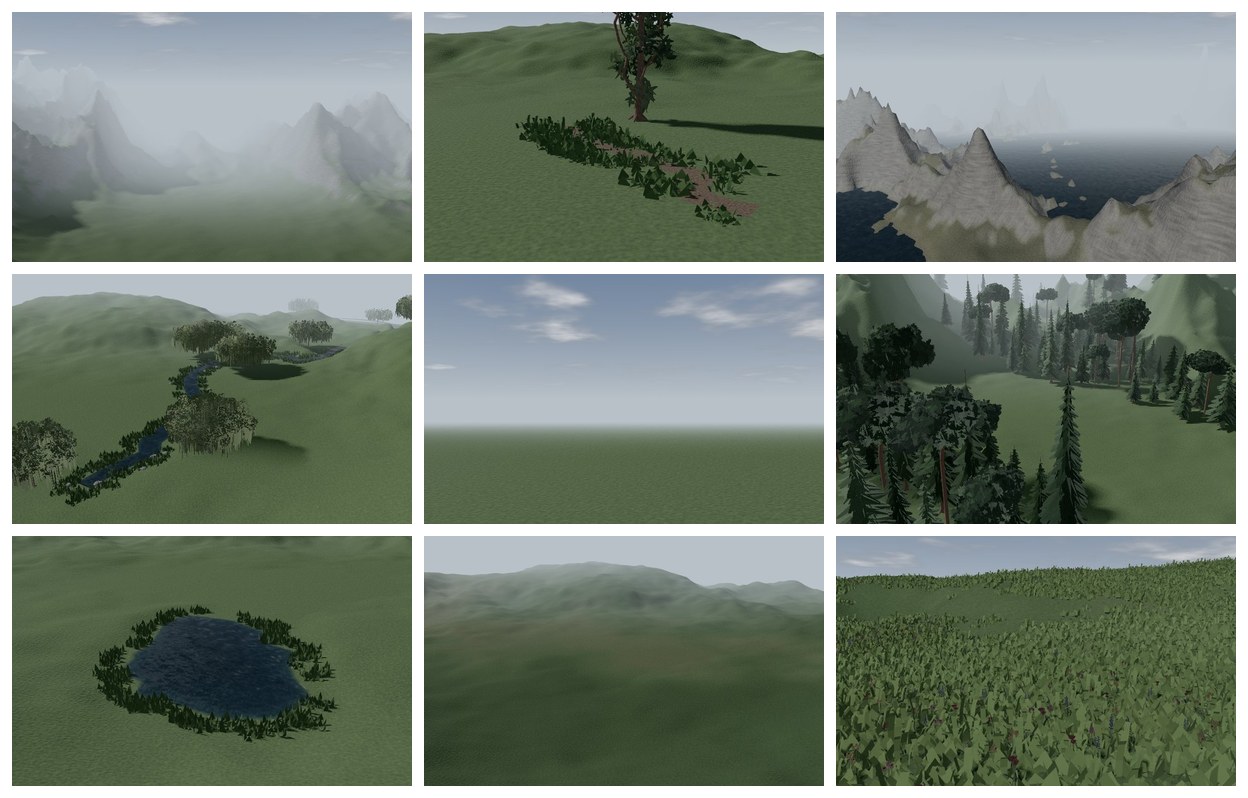
To speed up construction and keep quality consistent, the agent can draw from nine ready-made world parts: Alpine ridge, Country lane, Island coast, Meandering river, Outdoor daylight, Pine forest, Pond with lilies, Rolling hills and Wildflower meadow. It also has access to a scene asset catalogue of 72 models covering broadleaf trees, conifers, bushes, grass, flowers, stones, logs and mushrooms.
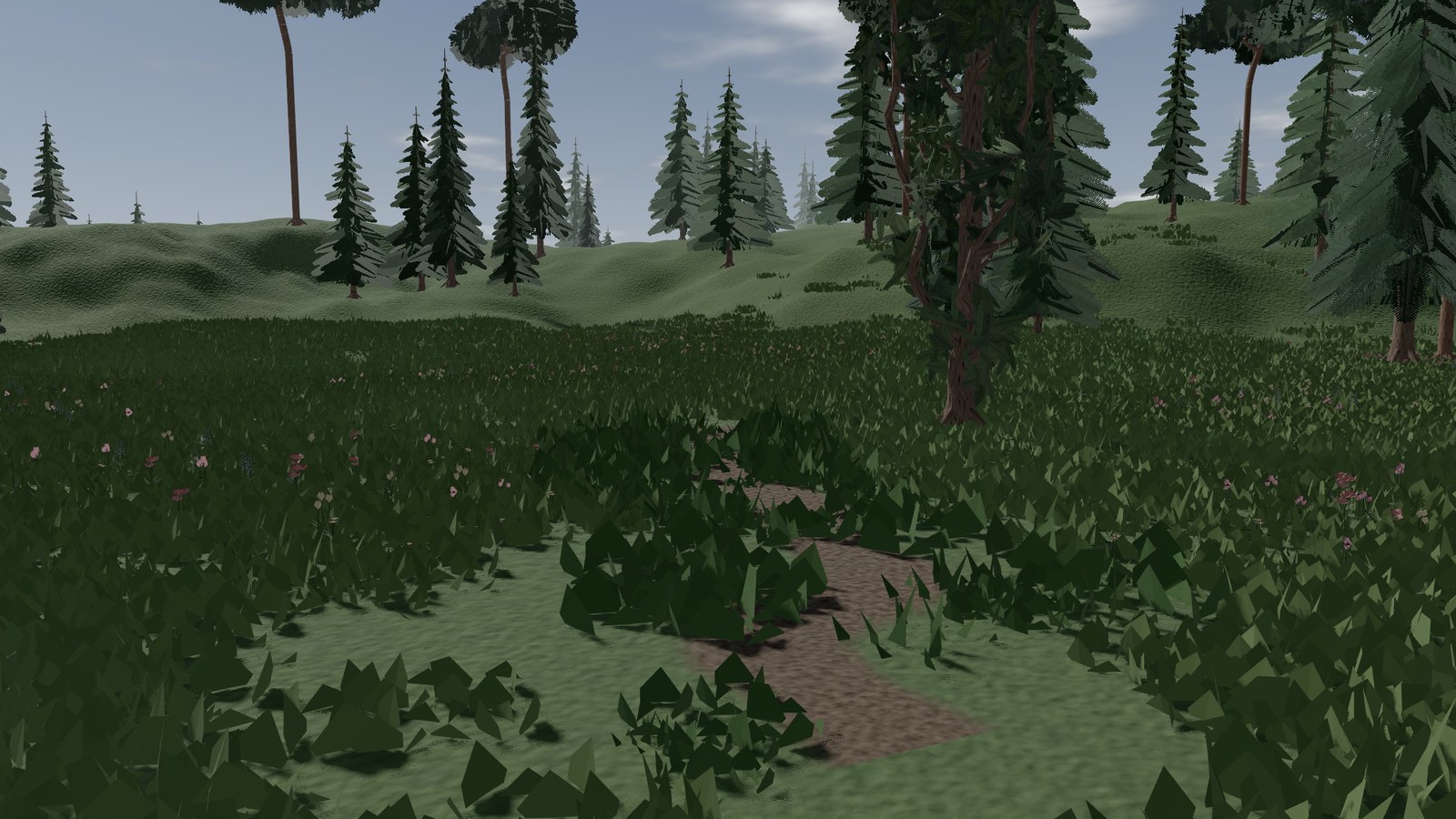
When asked for hills, a dirt path, a pond and a pine forest in an empty scene, the agent inspects the available world parts and the asset catalogue (list_world_parts, get_world_part, list_scene_assets), defines the necessary materials, fields, terrain, paths, water and scenery layers, saves the result with update_world and reads it back with get_world. It can also add or remove object definitions (upsert_object_definitions, remove_object_definition) and adjust robot physics settings (set_assembly_instance_physics). Because every placement and material has a descriptive id, follow-up requests like "move the workbench" or "make the path wider" target the existing item directly.
Every change to the world is validated before it is saved. If the agent references an unknown material, routes a path through a field that does not exist, places a pond outside the terrain bounds or creates fields that loop back on themselves, the tool returns a clear error message explaining the fault. Similarly, a material that is still in use cannot be deleted, and the error reports where it is used. In practice the agent reads these errors and fixes them on the next step. It can still pick a layout that blocks the robot or overdo the scatter density, so inspect the scene in the viewport before relying on it.
Limits
A few constraints apply to how worlds behave in simulation:
- Height field geometry: Terrain stores a single height per grid point. Overhangs, caves and arches cannot be formed by the terrain itself and must be added as placed 3D objects.
- Visual water: Water bodies and rivers are rendered surfaces that grade the terrain beneath them, but they do not apply buoyancy, drag or collision forces to robots.
- Policy training: Reinforcement learning policy training runs on a flat floor; the custom world belongs to the interactive scene rather than the training environment.
- Graphics load: Worlds with dense procedural scenery require significant GPU work. On a laptop with integrated graphics, the Countryside template runs at about 27 frames per second at 1600x1000 resolution.
Summary
Simulation worlds give a robot slopes to climb, roads to follow, obstacles to navigate and moving surfaces to interact with. FloMotion combines MuJoCo height fields and surface velocities with procedural fields, graded paths, scattered scenery, eleven full world templates and nine modular world parts, allowing environments to be chosen from a menu or assembled and edited from plain text prompts by an AI agent.
Links
Try it yourself
Open the workspace, describe a part, and see what the agent does with it. No install, no setup. Sign-in is optional for the first run.
Start building